
How to use Microsoft Authenticator
I will explain here every single steps
Login to Office 365 or Azure Microsoft Cloud services
Like Below Screenshot attached
Here in Admin Centers
I will authenticate Exchange online user

Click on Exchange
Once you will clicked on Exchange it will redirect to authenticator page
Click t Next
I use to verify my default email

You need to download Microsoft Authenticator Application on your phone
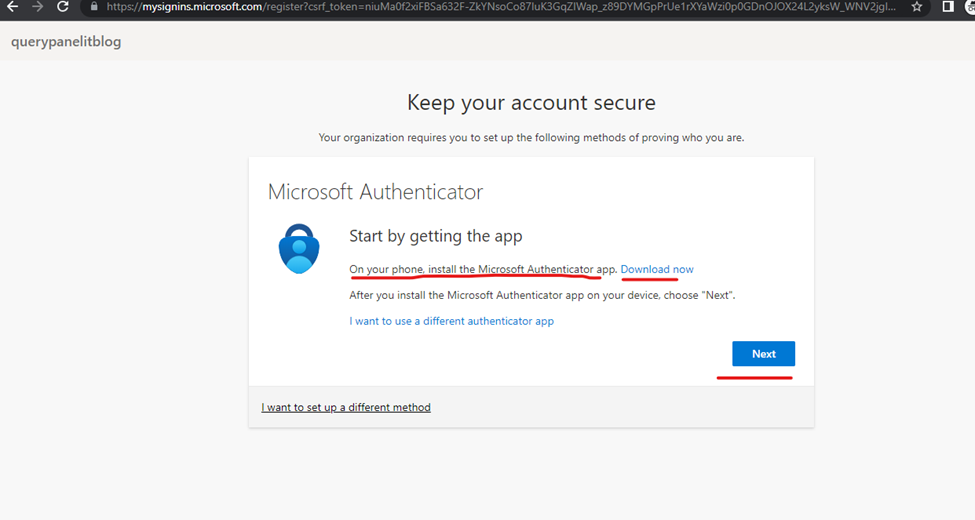
Once application downloaded
Click to next
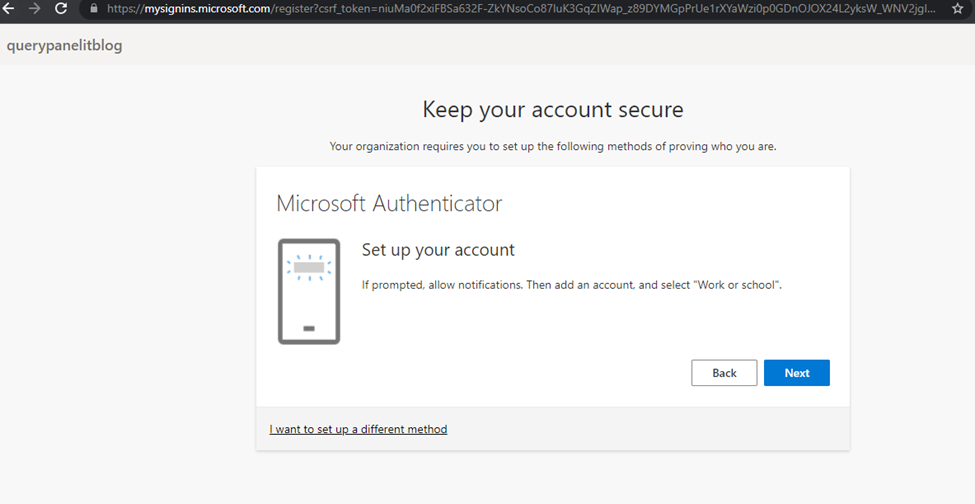
Setup account again click to next
Start the application
Click to add account in mobile application
Then Scan QR CODE
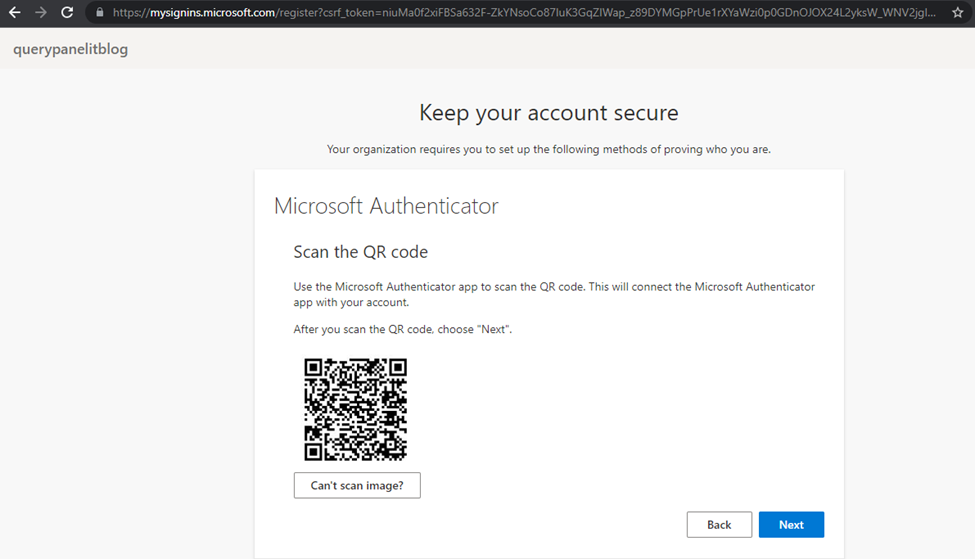
Scanning done click to next
Click to verify given digit to mobile authenticator
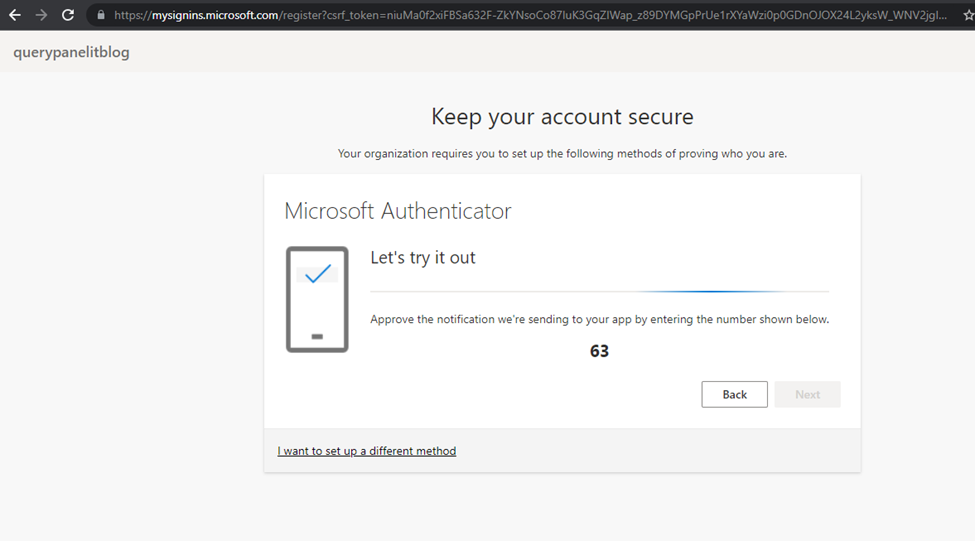
Authentication process done
Click to next
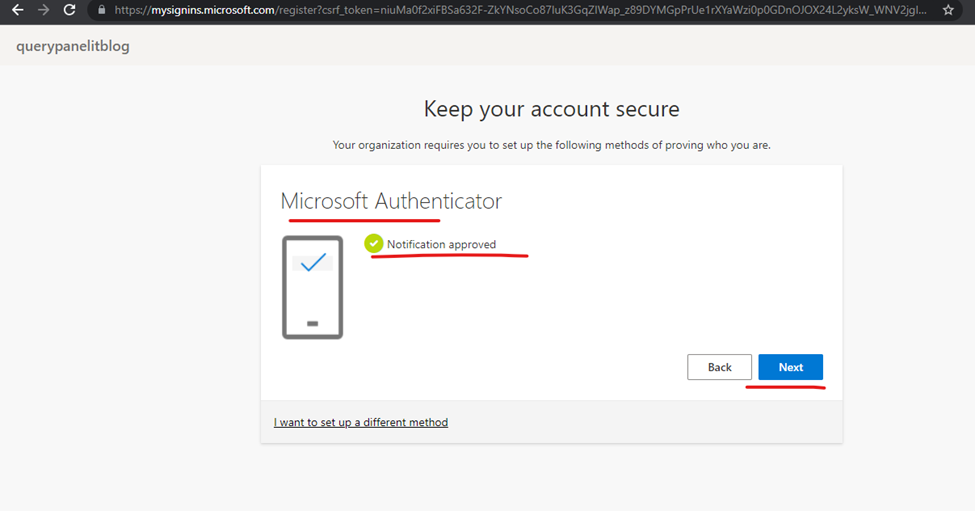
Click to done

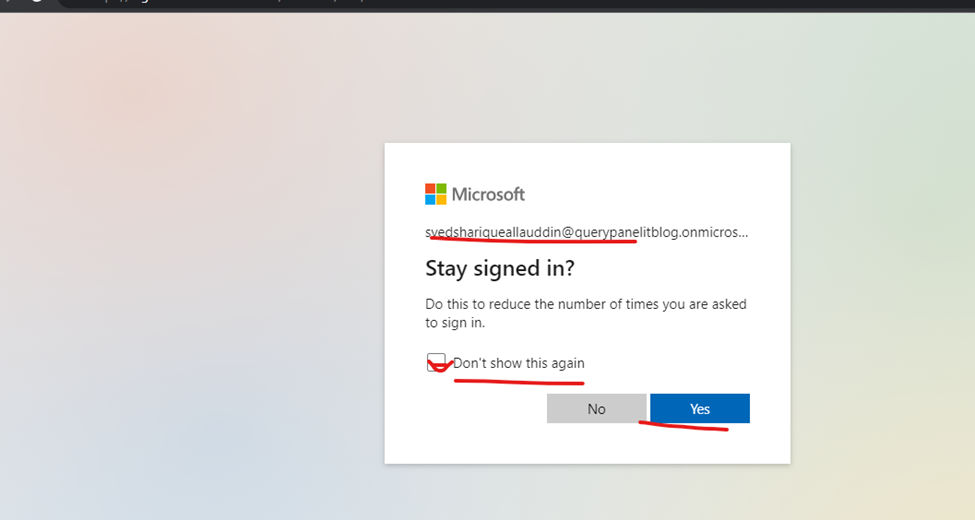
And now click to yes

Finally you logged in Exchange online
These are the simple and easy steps to authenticate user
