
Complete Installation Details about OpenVPN on a Raspberry Pi.
VPN Connection Types
This section is important for future steps (so you know what kind of profiles you’d like to create). We will be creating either a split-tunnel VPN, full-tunnel VPN, or both in later steps.
Split-Tunnel VPN: Traffic is only sent through your network if it is attempting to access an internal resource. Your IP address when navigating to a site outside of your network will be the IP address of the network that you are currently on.
Full-Tunnel VPN: All traffic is sent through your home network. Your IP address for internal and external requests will be your home networks.
Steps:
- First, make sure that all your system packages are up-to-date by running the following apt commands in the terminal
How to Install OpenVPN Server on Ubuntu 20.04
Complete OpenVPN installation and configuration steps PiVPN
In this tutorial, we will install the OpenVPN server on Ubuntu 20.04. To do this, you need to log in as the root user. You also must know the public IP of the server with which clients will establish a secure VPN channel.
How to Install PiVPN on Ubuntu 20.04 Step by Steps
First, we need to update and upgrade the ubuntu server
shariq@opnvpn:~$ sudo apt update -y

shariq@opnvpn:~$ sudo apt update -y

After that
root@opnvpn:~# curl -L https://install.pivpn.io | bash






if opnvpn select other if you are installing wireguard please select that.

click to no

Please insert the Port number
also need to allow this mention port in your firewall.

re conform the port number

Please select Custom DNS or google DNS
if you are using Public Static IP just click on Custom.

Here we need to Mention the DNS entry-example you domain
i m using my dns – vpn.querypanel.com
if Public static ip. select use this public IP

HERE need to mention public domain

need to cross check the are you using currect dns domain name
make sure then go for next step

now here vpn keys will be generates

press okay

press yes for update

press okay

please reboot the server

press okay

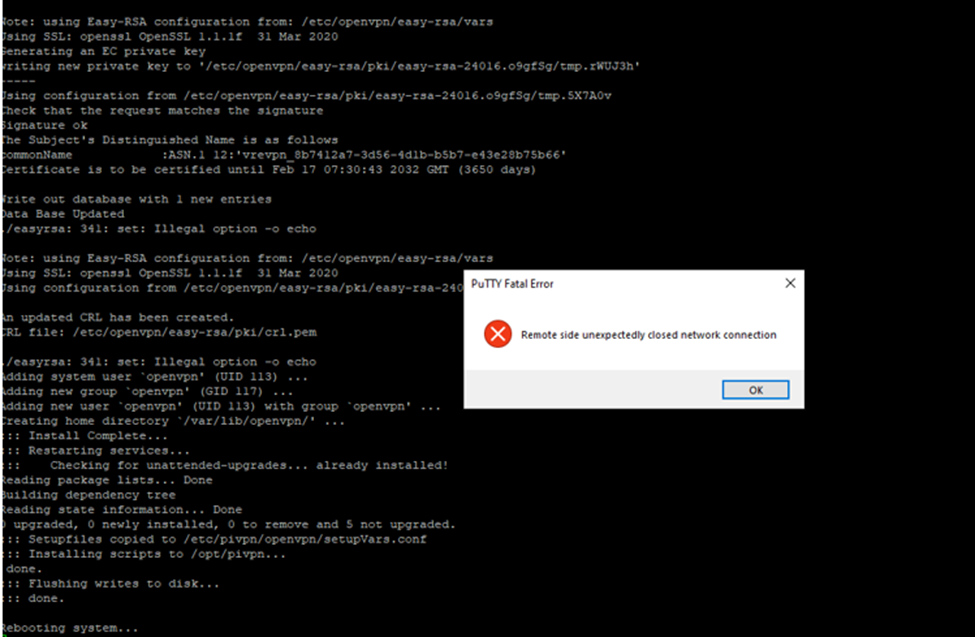
IMPORTANT NOTE
You will be asked to confirm some parameters that have optimal values by default. The only thing that is really worth checking is the public IP of the server.
If custom not working, we can use google SELECTION or select the DNS Entry
We can create the user with password or without passwords
According to requirments
shariq@opnvpn:~$ pivpn add
shariq@opnvpn:~$ pivpn add
[sudo] password for shariq:
Enter a Name for the Client: Arick
How many days should the certificate last? 1080
Enter the password for the client:
Enter the password again to verify:
spawn ./easyrsa build-client-full Arick
Note: using Easy-RSA configuration from: /etc/openvpn/easy-rsa/vars
Using SSL: openssl OpenSSL 1.1.1f 31 Mar 2020
Generating an EC private key
writing new private key to ‘/etc/openvpn/easy-rsa/pki/easy-rsa-4559.RBY1or/tmp.1kCsW3’
Enter PEM pass phrase:
Verifying – Enter PEM pass phrase:
—–
Using configuration from /etc/openvpn/easy-rsa/pki/easy-rsa-4559.RBY1or/tmp.jCVKDq
Check that the request matches the signature
Signature ok
The Subject’s Distinguished Name is as follows
commonName :ASN.1 12:’Arick’
Certificate is to be certified until Aug 27 13:01:02 2024 GMT (1080 days)
Write out database with 1 new entries
Data Base Updated
Client’s cert found: Arick.crt
Client’s Private Key found: Arick.key
CA public Key found: ca.crt
tls Private Key found: ta.key
========================================================
Done! Arick.ovpn successfully created!
Arick.ovpn was copied to:
/home/shariq/ovpns
for easy transfer. Please use this profile only on one
device and create additional profiles for other devices.
========================================================
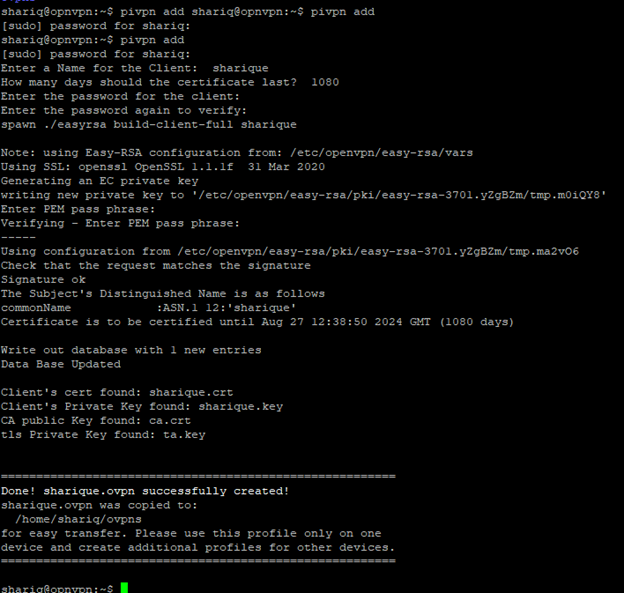
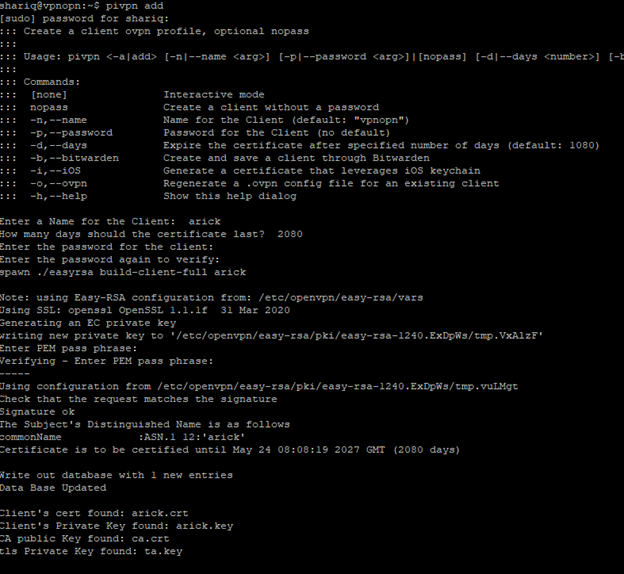
After creating user go to the home directory –
/home/shariq/ovpns ( directory up to the user)
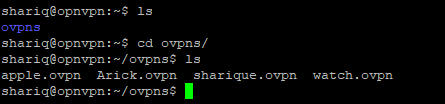
Download or copy security user codes

So here I have downloaded the
Arick.ovpn open vpn security
Please don’t share you .ovpn file code to other


Download from here
Download openvpn
Attach the .ovpn file and connect to the network
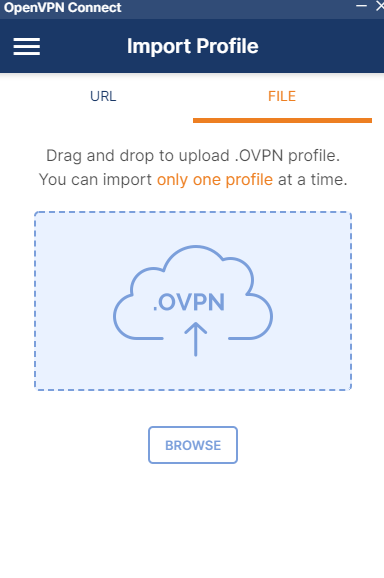
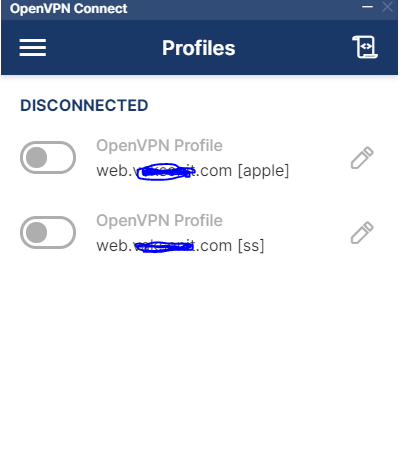

And we can track the how many users are connected to our vpn server
root@opnvpn:/var/log# cat openvpn-status.log

thanks for the sharing.
can you please also post wireguard installation method & Openswan.
Wonderful beat ! I wish to apprentice even as you amend your website, how can i subscribe for a blog website? The account aided me a acceptable deal. I were a little bit acquainted of this your broadcast provided vivid clear concept