
<?php
 require_once('include/config.php');
 $db = new Database();
 //delete about page multiple
if(isset($_GET['type']) && $_GET['type'] == "multiple_delete_aboutus")
{
  $ids = $_POST['id']; foreach ($ids as $id)
 {
   $del_query = "DELETE FROM queryabout WHERE a_id = '$id'";
   $db->execute($del_query);
  }
   return 0;
 }

//delete about page single
 if(isset($_GET['type']) && $_GET['type'] == 'singledelete_aboutus')
 {
    $id = $_GET['id'];
    $query = "DELETE FROM queryabout WHERE a_id = '$id'";
    if($db->execute($query))
    return 0;
      else
    return 1;
 }

//delete Services page multiple
if(isset($_GET['type']) && $_GET['type'] == "delete_car_details")
{
  $ids = $_POST['id']; foreach ($ids as $id)
  {
   $del_query = "DELETE FROM our_car WHERE car_id = '$id'";
   $db->execute($del_query);
  }
  return 0;
 }
 //delete page single
 if(isset($_GET['type']) && $_GET['type'] == 'singal_delete_car_d')
{
  $id = $_GET['id'];
  $query = "DELETE FROM our_car WHERE car_id = '$id'";
  if($db->execute($query))
return 0;
else
return 1;
 }


?>
SQL QUERY
Fetch values in OOPS PHP
Fetch_values.php i have create a fetching value page so here i have to include config.php for connection page must be in that folder so we can fetch data from database.
Suppose if we stored config.php file so we need to add config page for receiving data
require(“include/ config.php “); also can use require_once(“include/ config.php “);
(Difference between Include ,Include_once & require ,require_once)
include – include or include_once produce E- Warning and scripts will continue ,
require or require_once – Produce a fatal error E – Compile Error and stop the scripts
<?php
 require_once('include/config.php');
 class FetchValues
 {

private $id;
private $db;
private $setLimit;
private $pageLimit;
private $banner_id;

 function __construct() {

 $this->db = new Database(); }

public function getAboutUsById($id)
 {
 $this->id = $id;
$query = "SELECT * FROM testabout WHERE about_id = '$id' AND status=0 LIMIT 1";
 $exe_query = $this->db->execute($query);
$result = $this->db->getResult($exe_query);
 return $result;
}

public function getAboutUsData()
 {
 $query = "SELECT * FROM testabout";
$exe_query = $this->db->execute($query);
 $results = $this->db->getResults($exe_query);
 return $results;
}

public function getWhatsIncludes()
 {
$query = "SELECT * FROM includes WHERE status=0 ORDER BY include_id DESC";     $exe_query = $this->db->execute($query);
 $results = $this->db->getResults($exe_query);
 return $results;
  }
 }
 ?>
SQL/MYSQL/ORACLE Query
- CREATE DATABASE IF NOT EXISTS database;
- DROP DATABASE
- delhi_buss_record_system,metro_management_system,school_management_system;
- (CREATE TABLE)
- CREATE TABLE NORTH_BUSESS_DRIVER_DETAILS(Driver_id INT(11) PRIMARY KEY,DRIVER_NAME VARCHAR(255),PHONE_NUMBER VARCHAR(255),ADDRESS VARCHAR(255),JOINING_DATE DATETIME(6));
- CREATE TABLE WORKER(WORKER_ID INT NOT NULL PRIMARY KEY AUTO_INCREMENT,
FIRST_NAME CHAR(25),LAST_NAME CHAR(25),SALARY INT(20),JOINING_DATE DATETIME,
DEPARTMENT CHAR(25)); - CREATE TABLE NORTH_BUSESS_DRIVER_DETAILS(Driver_id INT(11) PRIMARY KEY,DRIVER_NAME VARCHAR(255),PHONE_NUMBER VARCHAR(255),ADDRESS VARCHAR(255),JOINING_DATE DATETIME(6));
- (ALTER ADD Column)
- ALTER TABLE north_busess_driver_details ADD COLUMN shift VARCHAR(255);
- (ALTER MODIFY)
- ALTER TABLE north_busess_driver_details MODIFY COLUMN shift INT(255);
- ALTER TABLE north_busess_driver_details MODIFY COLUMN JOINING_DATE DATE;
- (RENAME CHANGE ALTER)(ALTER TABLE CHANGE COLUMN NAME)
- ALTER TABLE north_busess_driver_details CHANGE COLUMN DRIVER_NAME D_NAME VARCHAR(255);
- (ALTER DROP COLUMN)
- ALTER TABLE north_busess_driver_details DROP COLUMN shift;
- (ALTER ADD MULTIPLE COLUMN)
- ALTER TABLE north_busess_driver_details ADD COLUMN Shift VARCHAR(255),ADD COLUMN Timing DATETIME(6);
ALTER TABLE north_busess_driver_details ADD COLUMN F_NAME VARCHAR(255),EDUCATION VARCHAR(255);
ALTER TABLE north_busess_driver_details DROP COLUMN Timing,DROP COLUMN LATE; - (INSERT QUERY)
INSERT INTO north_busess_driver_details(Driver_id,D_NAME,PHONE_NUMBER,ADDRESS,JOINING_DATE,Shift,Timing,F_NAME,EDUCATION,LATE)VALUES(‘022′,’OPI’,’909090′,’DEL’,’12/6/2016′,’EVE’,’09’,’IU’,’11TH’,’5 MINITES’); - INSERT INTO Worker
(WORKER_ID, FIRST_NAME, LAST_NAME, SALARY, JOINING_DATE, DEPARTMENT) VALUES
(001, ‘Monika’, ‘Arora’, 100000, ’14-02-20 09.00.00′, ‘HR’),
(002, ‘Niharika’, ‘Verma’, 80000, ’14-06-11 09.00.00′, ‘Admin’),
(003, ‘Vishal’, ‘Singhal’, 300000, ’14-02-20 09.00.00′, ‘HR’),
(004, ‘Amitabh’, ‘Singh’, 500000, ’14-02-20 09.00.00′, ‘Admin’),
(005, ‘Vivek’, ‘Bhati’, 500000, ’14-06-11 09.00.00′, ‘Admin’),
(006, ‘Vipul’, ‘Diwan’, 200000, ’14-06-11 09.00.00′, ‘Account’),
(007, ‘Satish’, ‘Kumar’, 75000, ’14-01-20 09.00.00′, ‘Account’),
(008, ‘Geetika’, ‘Chauhan’, 90000, ’14-04-11 09.00.00′, ‘Admin’); - (ALIAS (AS)
- SELECT FIRST_NAME AS W_F FROM worker;
- (Upper Case)
- SELECT upper(FIRST_NAME) FROM worker;
- (DISTINCT)
- SELECT DISTINCT DEPARTMENT FROM worker;
- (SUBSTRING )
- SELECT substring(FIRST_NAME,1,3) FROM worker;
SELECT SUBSTRING(LAST_NAME,1,2) FROM worker;
SELECT SUBSTRING(LAST_NAME,1,4) FROM worker;
SELECT SUBSTRING(LAST_NAME,2,5) FROM worker; - (INSTR)
SELECT INSTR(FIRST_NAME,BINARY’A’) FROM worker WHERE FIRST_NAME = ‘amitabh’; - (SELECT QUERY FETCH ALL DATA)
- SELECT * FROM north_busess_driver_details;
- (WHERE CLAUSE)
SELECT * FROM north_busess_driver_details WHERE Driver_id =’1′; - SELECT * FROM north_busess_driver_details WHERE D_NAME=’ABC’;
- (IT WILL FETCH THE DETAILS WHAT WE HAVE MENTION IN QUERY)
- SELECT Driver_id,D_NAME,PHONE_NUMBER FROM north_busess_driver_details WHERE Shift=’Morning’;
- (AND OPERATOR IN SELECCT QUERY)
- SELECT * FROM north_busess_driver_details WHERE D_NAME=’OL’ AND PHONE_NUMBER=’099′;
- (OR OPERATOR IN SELECT QUERY)
- SELECT * FROM north_busess_driver_details WHERE Driver_id=”011″ OR ADDRESS=”DEL”;
- SELECT F_NAME,PHONE_NUMBER FROM north_busess_driver_details WHERE ADDRESS=”DEL” AND D_NAME=”OP”;
- SELECT F_NAME,PHONE_NUMBER FROM north_busess_driver_details WHERE ADDRESS=”DEL” OR D_NAME=”OP”;
- (DISTINCT)
- SELECT DISTINCT D_NAME FROM north_busess_driver_details;
- (DISTINCT COUNT)
- SELECT COUNT(DISTINCT Driver_id) FROM north_busess_driver_details;
- (NOT)
- SELECT * FROM north_busess_driver_details WHERE NOT ADDRESS=’DEL’;
- SELECT * FROM north_busess_driver_details WHERE NOT ADDRESS=’DEL’ AND NOT ADDRESS=’BIH’;
- (ORDER BY ASC / DESC)
- SELECT * FROM north_busess_driver_details ORDER BY Driver_id ASC;
- SELECT * FROM north_busess_driver_details ORDER BY Driver_id DESC;
- SELECT * FROM north_busess_driver_details ORDER BY D_NAME DESC;
- (ASC/DESC WHERE CLAUSE)
- SELECT * FROM north_busess_driver_details WHERE Driver_id=”11″ ORDER BY D_NAME ASC;
- (UPDATE COLUMN)
UPDATE north_busess_driver_details SET D_NAME=’BA’ WHERE Driver_id=’11’;
(UPDATE overall Table)
UPDATE north_busess_driver_details SET D_NAME=’BA’;
UPDATE north_busess_driver_details SET D_NAME=’AA’ AND ADDRESS=’DEL’ WHERE Driver_id=’002′; - DELETE FROM north_busess_driver_details WHERE Driver_id=’501′;
- DELETE FROM north_busess_driver_details;
- (LIMIT)
- SELECT * FROM north_busess_driver_details LIMIT 25;
- (LIMIT PERTICULAR)
SELECT Driver_id FROM north_busess_driver_details LIMIT 30; - SELECT * FROM north_busess_driver_details WHERE Driver_id=’11’ AND D_NAME=’D’ ORDER BY Shift LIMIT 1;
- SELECT * FROM north_busess_driver_details WHERE Driver_id=’11’ OR D_NAME=’D’ ORDER BY Shift LIMIT 1;
- (COUNT)
- SELECT COUNT(Driver_id) FROM north_busess_driver_details;
- SELECT COUNT(D_NAME) FROM north_busess_driver_details;
- (AVG)
- SELECT AVG(D_NAME) FROM north_busess_driver_details;
- (SUM)
- SELECT SUM(STATUS) FROM north_busess_driver_details;
- (LIKE)
- SELECT * FROM employee WHERE last_name LIKE ‘%a’
- SELECT * FROM employee WHERE last_name LIKE ‘%S’
- SELECT * FROM employee WHERE last_name LIKE ‘S%’
- SELECT * FROM employee WHERE last_name LIKE ‘W%S’
- SELECT * FROM employee WHERE first_name LIKE ‘%’
- SELECT * FROM employee WHERE job_title LIKE ‘S%S’;
Drop Database if Exits
-
DROP DATABASE IF EXITS QueryPanel(databasename);
CREATE TABLESPSCE
A tablespace is a storage location where the actual data underlying database objects can be kept. It provides a layer of abstraction between physical and logical data, and serves to allocate storage for all DBMS managed segments.
A tablespace is a logical group of data files in a database. A database typically contains at least one tablespace, and usually two or more. Within the database, the tablespace plays a role similar to that of a folder on the hard drive of a computer.
Datafile : Describe all database files , Datafiles are physical files stored on your disk created by Oracle database and has .dbf extension.
CREATE DBA DATA FILES TABLESPACE
We have to find the file location in DBA DATA FILES
Now here describing dba data files
SQL> desc dba_data_files;
We can use one of them
SQL> describe dba_data_files;


Here Selection Specific columns
DBA DATA FILES Selecting the FILE_NAME
SQL> SELECT FILE_NAME FROM dba_data_files;

TABLESPACENAME describe including with Created files name users
If we will create new TABLESPACENAME it will also reflect in File Name.
SQL> SELECT FILE_NAME, TABLESPACE_NAME FROM dba_data_files;

Now I am going to change the Bytes into MB

Now you can see here I have converted BYTES in MB.
SQL> select FILE_NAME,TABLESPACE_NAME,BYTES/1024 as size_in_mb from dba_data_files;

Now converting BYTES size in GB
SQL> select FILE_NAME,TABLESPACE_NAME,BYTES/1024/1024/1024 as size_in_gb from dba_data_files;

Now started to create tablespace
We need to know in which directory tablespace file used to create
So here
SQL> Select FILE_NAME from dba_data_files;

So We found the tablespace directory .
Whenever we are creating tablespace we used to create tablespace in oracle default directory including with path in string format.
(extention of tablespace .dbf)
SQL> create tablespace querypanel26 datafile ‘/u01/app/oracle/oradata/q
ueryp/querypanel26.dbf’ size 400m autoextend on;

Now you can see one tablespace is included in tablespace directory.

DATAFILE : before add datafile in tablespace we must have to aware about data files create location . How do we find datafiles storage location
SQL> desc dba_data_files;

Now we are looking for File Name and tablespace
so we promote a select query
SQL> select FILE_NAME,TABLESPACE_NAME from dba_data_files;

Here ADD datafile
SQL> alter tablespace q04 add datafile ‘/u01/app/oracle/oradata/queryp/q04datafile.dbf’ size 5m autoextend on;

we can also assign unlimited tablespace
sql>grant unlimited tablespace to q02;
Lock & Unlock Users
How do lock users account and unlock account.
SQL> alter user query1 account lock;

Now we need to find the user account status.
SQL> select USERNAME,ACCOUNT_STATUS from dba_users;
Here you can see query1 user account is locked

Now need to unlock user account
SQL> alter user query1 account unlock;

Now here user is unblock
SQL> select USERNAME,ACCOUNT_STATUS from dba_users;

User password Expire
We could not login via old password
SQL> alter user query1 password expire;

Whenever we will used to expire password need to set a new password during the user login
User session
Note: When it is in read/write mode, the status will simply say “ONLINE”
Rename Tablespace
SQL> alter tablespace Q05 OFFLINE normal;

SQL> alter tablespace Q05 RENAME TO QP05;

Assign Tablespace while creation of new users
here i have mention specific tablespace to user
SQL> create user q3 identified by q3 default tablespace sept_q3;

we can check here default tablespace to user

Q3 User default tablespace is sept_q3 because i used to mention this particular user carry this tablespace
we can also tablespace while we create table
easy to assign tablespace also like this
SQL> create table q3_insert_1(q_id INT NOT NULL PRIMARY KEY,NAME VARCHAR(20)) tablespace sept_q3;

A temporary tablespace, as its name implied, stores the temporary data that only exists during the database session.
Oracle uses temporary tablespaces to improve the concurrency of multiple sort operations which do not fit in memory. On top of this, Oracle stores temporary tables, temporary indexes, temporary B-trees, and temporary LOBs in temporary tablespaces.
By defeault, Oracle creates a single temporary tablespace named TEMP for each new Oracle Database installation. This TEMP tablespace can be shared by multiple users.
Now here we are going to create temporary tablespace
SQL> CREATE TEMPORARY TABLESPACE q3temp_1 TEMPFILE ‘/u02/app/oracle/oradata/sept/q3temp_1.dbf’ SIZE 40m;

now we can check temporary tablespace in dba_temp_files
we can see temporary tablespace is created

Oracle 11g Installation
To install Oracle Database Client perform the following steps:
Oracle DBA Installation Guide
How to install linux using oracle virtualbox
Steps:
Oracle VM VirtualBox is a free and open-source hosted hypervisor for x86 virtualization, developed by Oracle Corporation.
First Download Virtual box (Virtual Machine )
(Example : VirtualBox-6.0.10-132072-Win )

Custom Setup Just Next

Network Interface just next to it
click on Install and Next to finish

Installation Completed Oracle Virtual Box
Virtual Box after installation Display

Go to machine tab click over there add machine and select the Driver where you wanted to install Linux

add location specified where you wanted to install Linux and in Drop down menu Select Operating system and version
Click to next
Allocate RAM Space in your system & Allocate Hard disk (HDD) Space

Select Virtual Box Disk Image

Storage Section we can Assign Physical Hard Disk Space( we can select any of one now I am selected Dynamically

After the Following Steps User created in Virtual Box

Right click on user select Setting Tab
Click on Add button

After that click on empty and select disk option ,select Downloaded Linux Version file and click okay

Right click on user normal start tab after that booting just click to next

After that click on web server

We have to wait until the installation Will completed
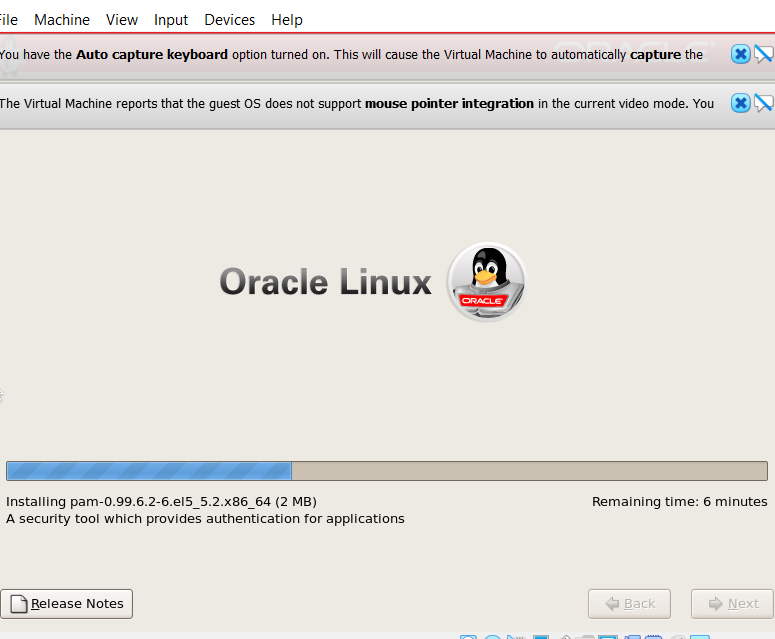
Completed Installation
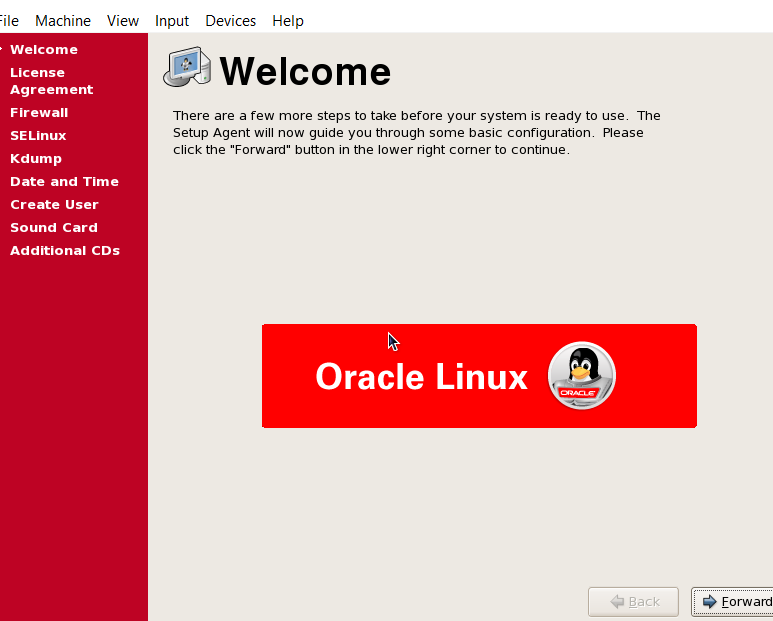
We need to follow the steps
During the Oracle step we will also used to create User
And password
Now we need to create login username : root : and password : 12345 if we will skip the user we can also login via root

Now Oracle Linux is ready to use after valid username & password & Window will be appear like this

now go to Linux Application tab and Click on Terminal tab


Now we need to download some of Specific Software Download PuTTY – a free SSH and telnet client PuTTY for Linux
PuTTY is a free and open-source terminal emulator, serial console and network file transfer application.
PuTTy Configuration we need to Connect PuTTy Via IP Address

connected via puTTy we will get New Black Window login as : username( root)

puTTy Password what we have used during Linux Installation

Now we need to Specific Software for Download
Drop Database SQL/MYSQL/ORACLE
-
DROP DATABASE QueryPanel(Databasename);
Create Database Using IF Condition
-
CREATE DATABASE IF NOT EXITS QueryPanel(Databasename);