
Troubleshoot AD while user cannot join Domain
Need to Check the Network Issues
Step 1:
need to Check the user system in connected with same and Network Connection.
Step 2:
Check the Ping status client to Domain and domain to client(user) pc.
Step 3:
Ping the DNS IP to Client Machine if getting ip then okay
otherwise, open network adaptor setting in client pc go to active ethernet Properties
edit TCP/IPV4
in DNS Section: type the dns ip to dns server address
step 4:
Check DC (ADDS FSMO Roles status: if you are running multiple Domain Controller)
all 5 fsmo roles should be work properly
netdom query fsmo
and check all 5 fsmo roles is active and with the same domain.
How to Troubleshoot DNS Issues in Active Directory
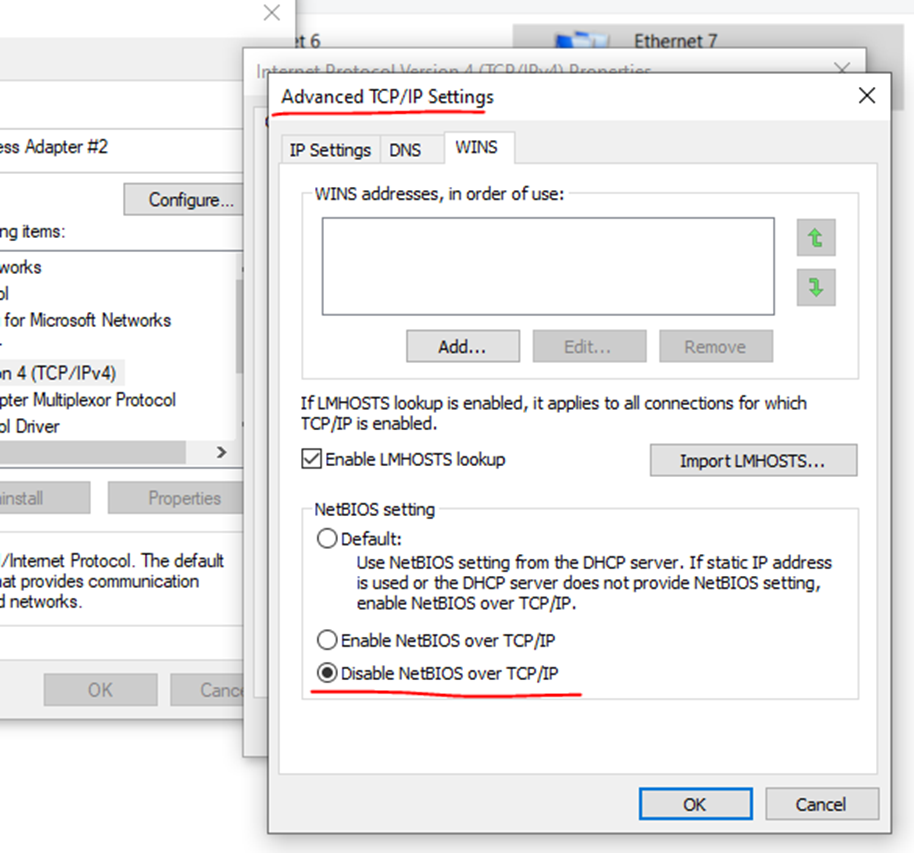
Open Network Adaptor setting and go to properties select TCP/IPV4 and go to advanced

Advanced TCP/IP Settings
Disable NetBIOS Over TCP/IP and apply
Now open cmd prompt as a administrator
And type here ipconfig /flushdns

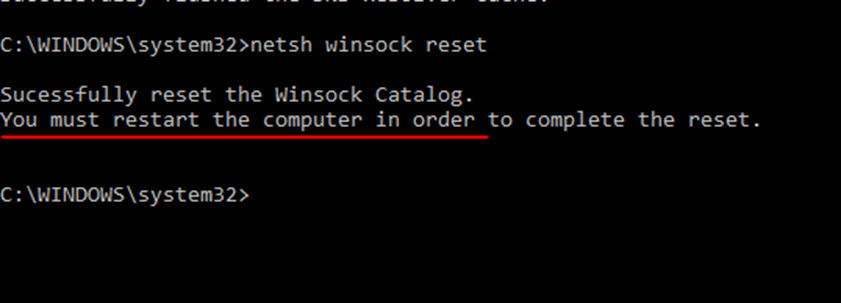
Network Shell (Netsh). Netsh stands for network shell. It’s a powerful command-line tool used to update Windows network configuration settings. It allows users to display or modify the network configuration of the computer that is currently running.
Winsock, or Windows Socket, is a programming interface that enables communication between Windows network software and the underlying network hardware.
Netsh winsock reset
How to Troubleshoot if windows is not booting
Once we are facing the issues windows get booting issues
There will be 2 options
Restart
Advanced Options
Click to advanced options
Advanced Windows Troubleshoot
Select Troubleshoot
Then
Advanced options
Select command Prompt
Select the windows user
User password
Once command prompt is open
Like
:\windows\system32>
Type first command bootrec /fixmbr
:\windows\system32> bootrec /fixmbr
Next command
bootrec /rebuildbcd
:\windows\system32> bootrec /rebuildbcd
Now close command prompt
Then press to continue windows
So, this is the process to troubleshoot windows booting issues