
Step by Step Oracle 12c Golden Gate Installation and Configuration
This document describes how to install Oracle 12c Golden Gate and how to configure the replication.
Here created a directory structure goldengate we can create whatever we need to any specific name with permission in oracle user
Installation of Golden Gate in Source Database: 12C Golden Gate is GUI based installation and needs to be run runInstaller upon unzipping the software.
Need to create the directory in oracle user
[oracle@qp01 ~]$ mkdir -p goldengate

After that need to move to the created directory
[oracle@qp01 ~]$ cd goldengate

And transfer the goldengate software
So here have uploaded the goldengate software via WinSCP
[oracle@qp01 goldengate]$ ls

We need to give the access permission to goldengate software
[oracle@qp01 goldengate]$ chmod 775 V975837-01.zip

After the permission will be change
And extract the file
[oracle@qp01 goldengate]$ unzip V975837-01.zip
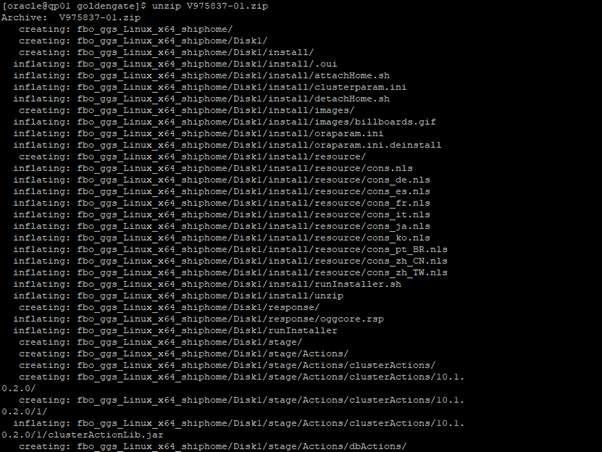
After the unzip the directory we will get the some new directory
Now here new files go to fbo_ggs
[oracle@qp01 goldengate]$ ls

So now we need to create goldengate home directory and assign them permission
[oracle@qp01 ~]$ mkdir -p /u01/app/oracle/product/gghome

[oracle@qp01 ~]$ cd /u01/app/oracle/product/gghome
Now we ned to go to disk1 directory inside the goldengate directory
[oracle@qp01 Disk1]$ ls

If we ever face unable to host errors we need to fixed it before runInstaller command execute
Errors solutions
[oracle@qp01 Disk1]$ ./runInstaller

Move to root directory and export the display, set the localuser
[root@qp01 ~]# export DISPLAY=:0
[root@qp01 ~]# xhost +SI:localuser:oracle

Start Oracle Universal Installer
[oracle@qp01 Disk1]$ ./runInstaller

So now we have to select the installation version
Now I am installing it on Oracle 12c so need to select 12c and whatever your version
Select “Oracle GoldenGate for Oracle database 12C and click on Next

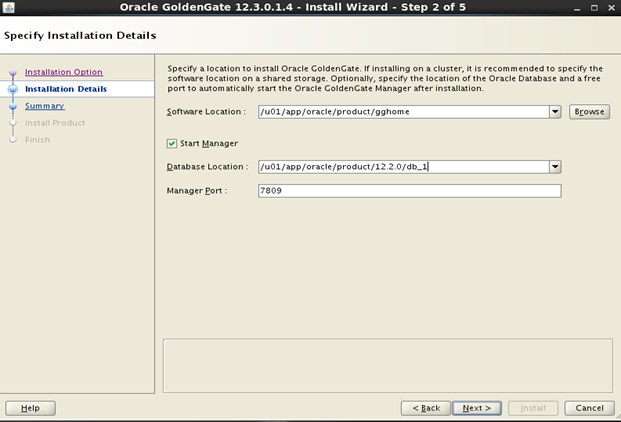
Here select the goldengate software location
Select location which we have created for GG home
Select database home location, port number for manager and click on Next.
After that we can review the summery and click to install
Click on Install
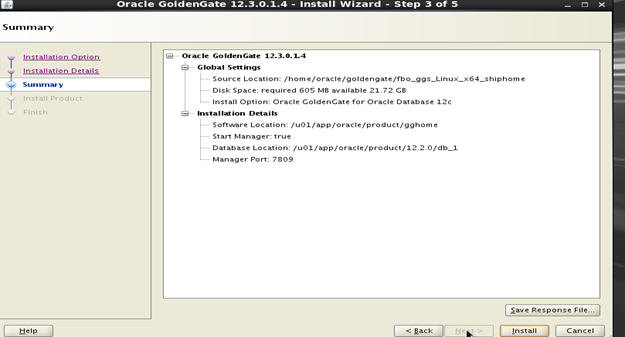
Installation Wizard
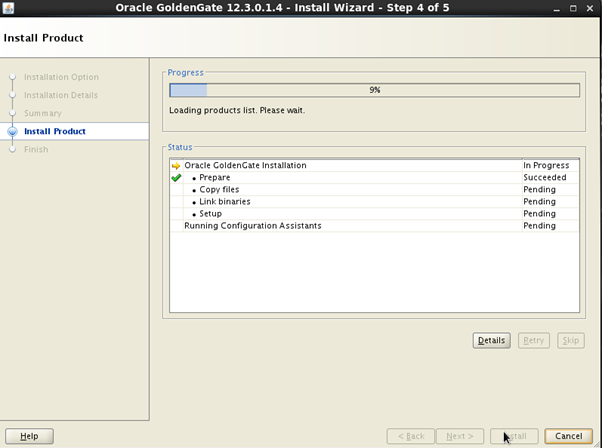
Now the successfully installation has been completed
Click on Close
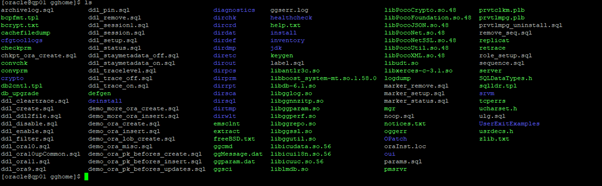
After the complete installation we will check the goldengate software

[oracle@qp01 gghome]$ ls
I fully share your opinion. This is a great idea. I support you.
Unmatched message, I like it 🙂