
How to Increase Logical Volume size in RedHAT/Centos
Steps to Create Logical Volume in Centos or RedHat Linux Server.
First
check the already associated disks
fdisk -l
Add the new Virtual Disk to Server
–Scan the new created disks- if you are having host1 or till host2 disk scan according to that.
i am having only host1 disk active need to scan host2 disk like
echo “- – -” > /sys/class/scsi_host/host2/scan
–now creating new partition
fdisk /dev/sdb
and follow the instruction
–now creating Physical Volume
pvcreate /dev/sdb1
— extending VG – Volume group (working on default centos – So, VG Group is centos)
vgextend centos /dev/sdb1
–now increasing the Logical volume
vgextend centos /dev/sdb1
— Increasing the Logical Volume size
lvresize -L +5G /dev/centos/home
Adding 5GB to Home Directory and 5GB to Root Directory
Extend Disk Size
Add the New Drive and scan it
Fdisk -l
[root@centos ~]# fdisk -l
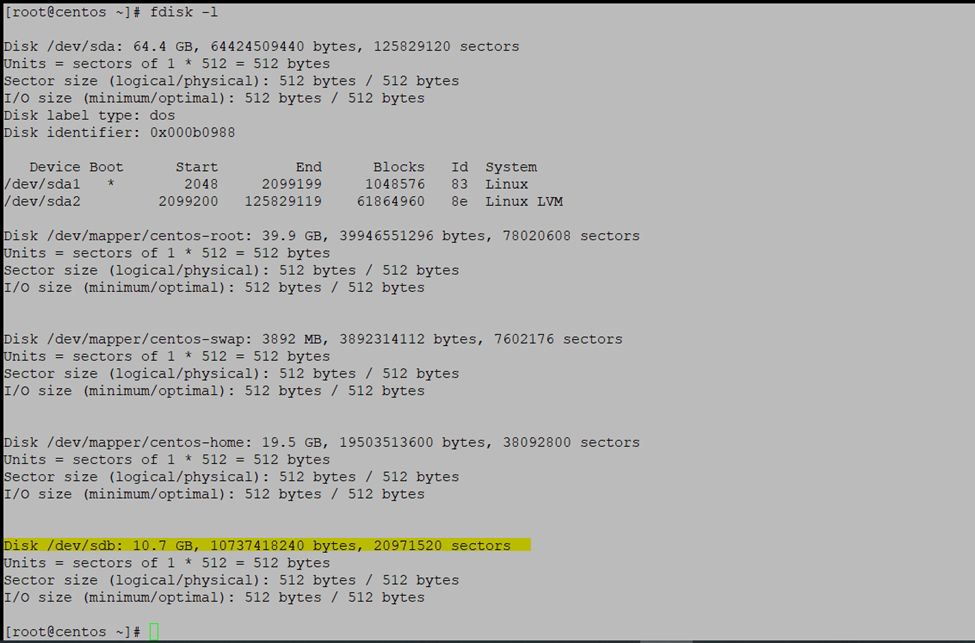
[root@centos ~]# lsblk

Now scanning the new added drive
[root@centos ~]# echo “- – -” > /sys/class/scsi_host/host2/scan
New added drive sdb
lblsk

Now creating the partition
Fdisk /dev/sdb
Create a new partition type n
Create primary partition type p
In the single disk can create 4 partation so here creating only 1 partation
Type 1 single partition
And just press enter
And giving complete size
Just press enter
And type p for checking the created disk type
So, we want linux LVM type type
Type t and enter
And type p and check the type
Now press w and enter
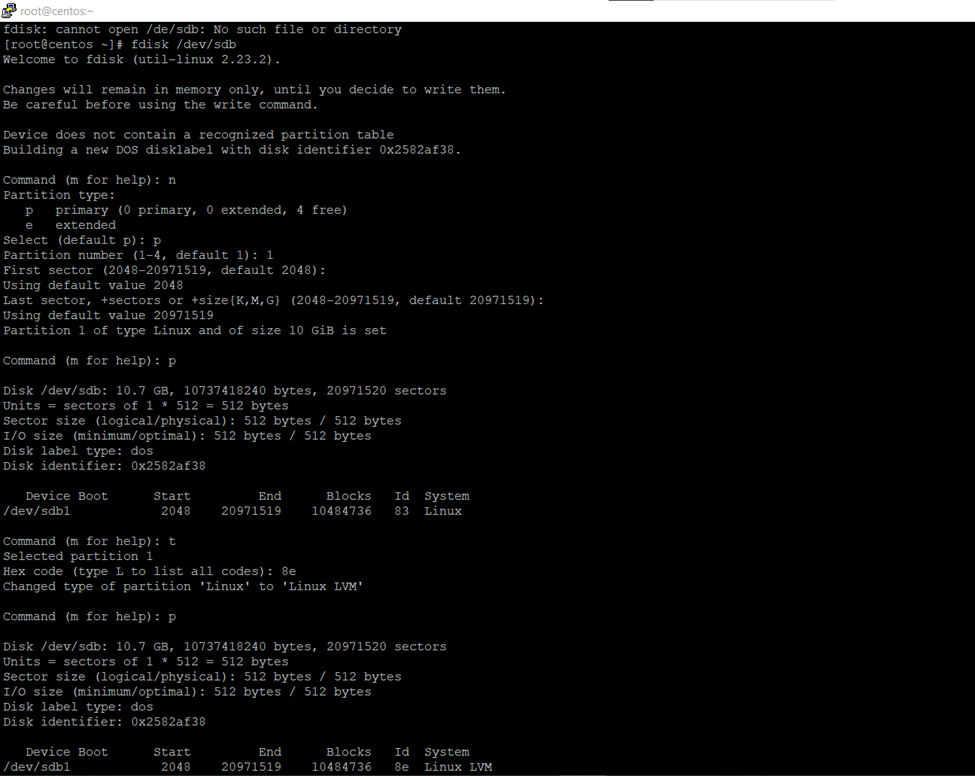

To check newly created disk
Fdisk -l /dev/sdb
[root@centos ~]# fdisk -l /dev/sdb

So here I will increase the centos-home dir size
Will use xfs (because very fast processing speed)

Checking the current blocks size
[root@centos ~]# xfs_growfs -n /dev/centos/home

Now creating the PHYSICAL VOLUME
PVCREATE –
Pvcreate /dev/sdb1
[root@centos ~]# pvcreate /dev/sdb1

Check the volume group
[root@centos ~]# vgs

Extending logical volume size
Vgextend— volume group name / logical volume directory
[root@centos ~]# vgextend centos /dev/sdb1

After increased size

So, if you can check now having 10GB Volume Group free size
vgs
Df -h T

Increase the Home directory Size
Volume group : centos
Directory : home
Increasing disk size 5GB – Home Directory
[root@centos ~]# lvresize -L +5G /dev/centos/home

[root@centos ~]# xfs_growfs /dev/centos/home
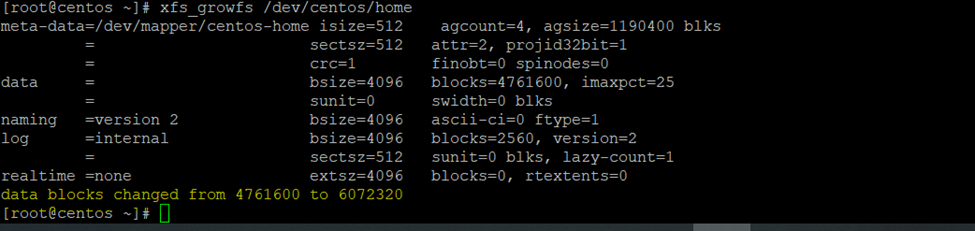
[root@centos ~]# df -hT /home

[root@centos ~]# df -hT

Extending root size
Steps to Create Logical Volume in Centos or RedHat Linux Server.
First
check the already associated disks
fdisk -l
Add the new Virtual Disk to Server
–Scan the new created disks- if you are having host1 or till host2 disk scan according to that.
i am having only host1 disk active need to scan host2 disk like
echo “- – -” > /sys/class/scsi_host/host2/scan
–now creating new partition
fdisk /dev/sdb
and follow the instruction
–now creating Physical Volume
pvcreate /dev/sdb1
— extending VG – Volume group (working on default centos – So, VG Group is centos)
vgextend centos /dev/sdb1
–now increasing the Logical volume
vgextend centos /dev/sdb1
— Increasing the Logical Volume size
lvresize -L +5G /dev/centos/home
)
Increasing disk size 5GB – Root Directory
[root@centos ~]# lvresize -L +5G /dev/centos/root

[root@centos ~]# xfs_growfs /dev/centos/root

[root@centos ~]# df -hT /root/

Df -Ht
After extend root
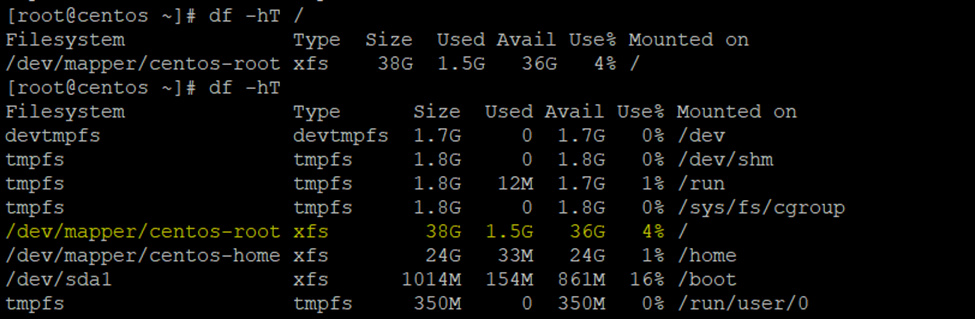
Before extended root


How to Increase Logical Volume size in RedHAT/Centos
Here I am increasing the Root 30 GB size
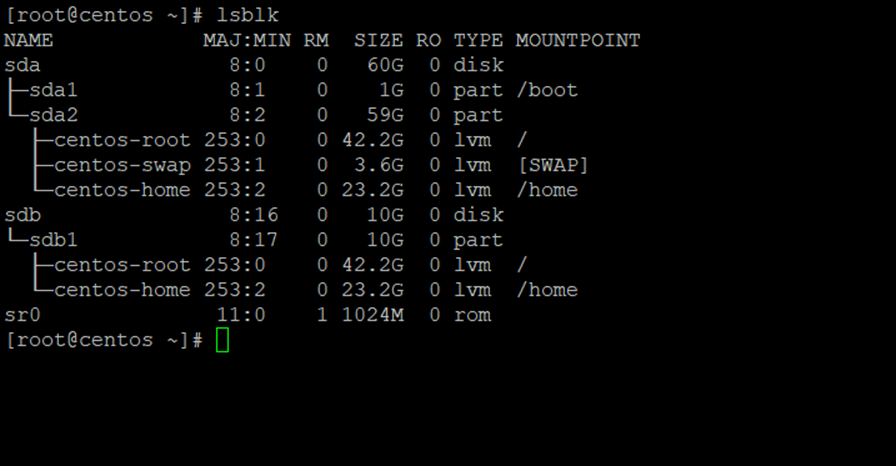
Current Disk Structure
lsblk
[root@centos ~]# echo “- – -” > /sys/class/scsi_host/host0/scan

Lblsk

Fdisk -l

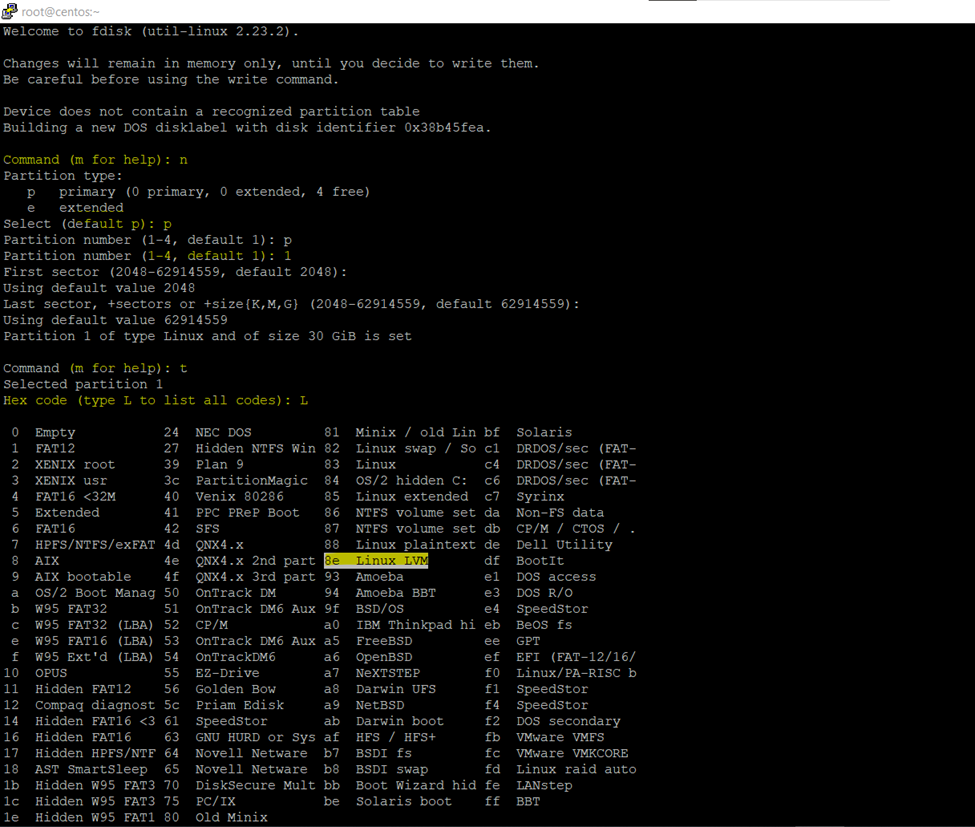
[root@centos ~]# fdisk /dev/sdc
Type n
Then p
Then 1
Then enter and enter
Then t
Then L
Then 8e
Then type p to check system type
8e
Then p

Then w exit
Now Checking the status newly created disk
[root@centos ~]# fdisk -l /dev/sdc

So, I have decided to add the disk size in root directory
Checking the blocks size
[root@centos ~]# xfs_growfs -n /dev/centos/root

Creating physical volume
Pvcreate /dev/sdc1
[root@centos ~]# pvcreate /dev/sdc1

Current volume group details
[root@centos ~]# vgs

Now increasing the volume size to volume group
[root@centos ~]# vgextend centos /dev/sdc1
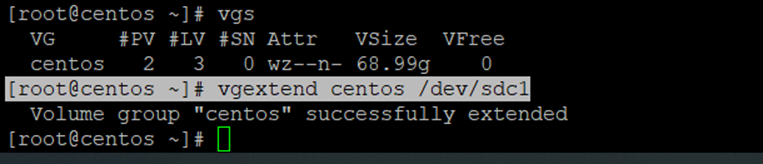
After extended the volume size

So, here increasing the root directory disk size
[root@centos ~]# lvresize -L +25G /dev/centos/root
[root@centos ~]# lvresize -L +4G /dev/centos/root

Xfs_growfs /dev/centos/root

[root@centos ~]# df -hT /root/
[root@centos ~]# df -hT

Physical Volume current scenario structure
Pvs
[root@centos ~]# pvs

Volume Group current scenario structure
Vgs

Logical Volume current scenario structure
Lvs
