Complete Azure Cloud Tutorials
Azure Administration & M Office 365/Intune/MDM/EndPoint
Resource group – A container that holds related resources for an Azure solution
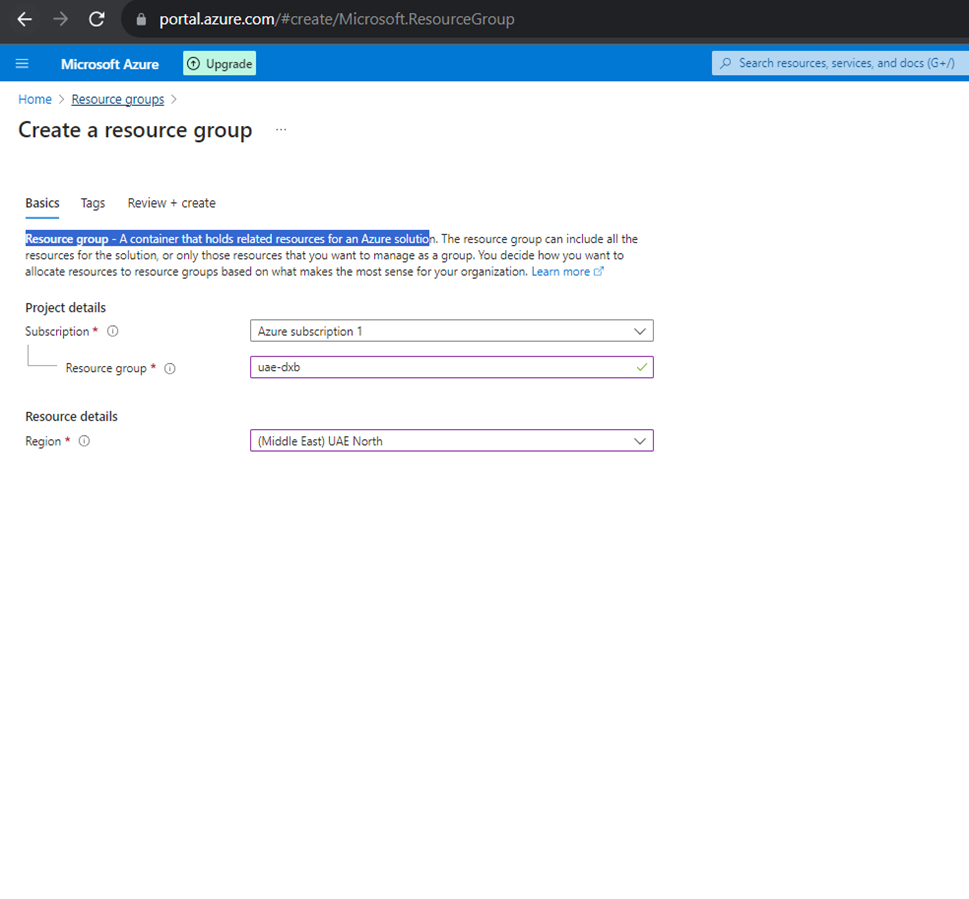
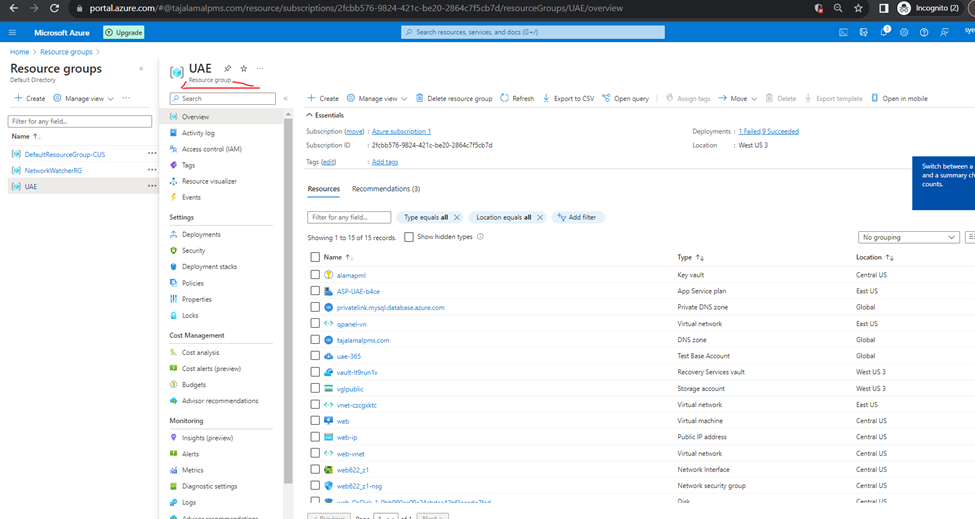
Created Resource Group
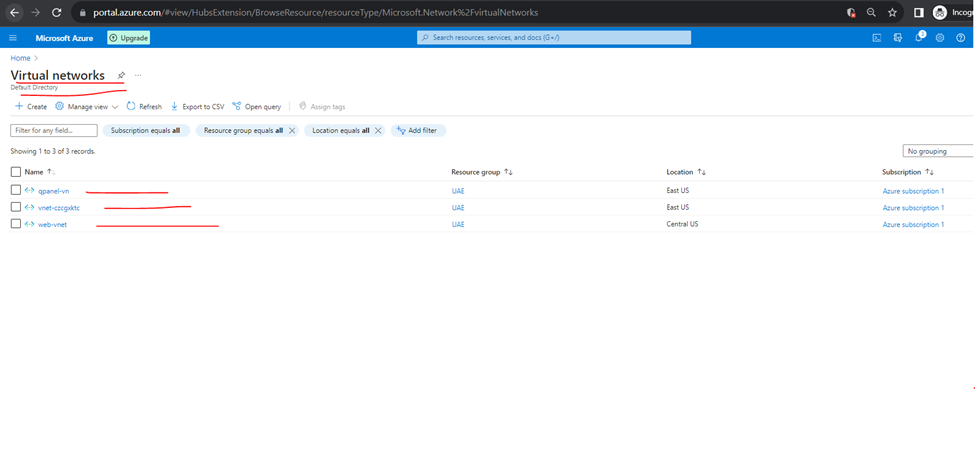
Virtual networks
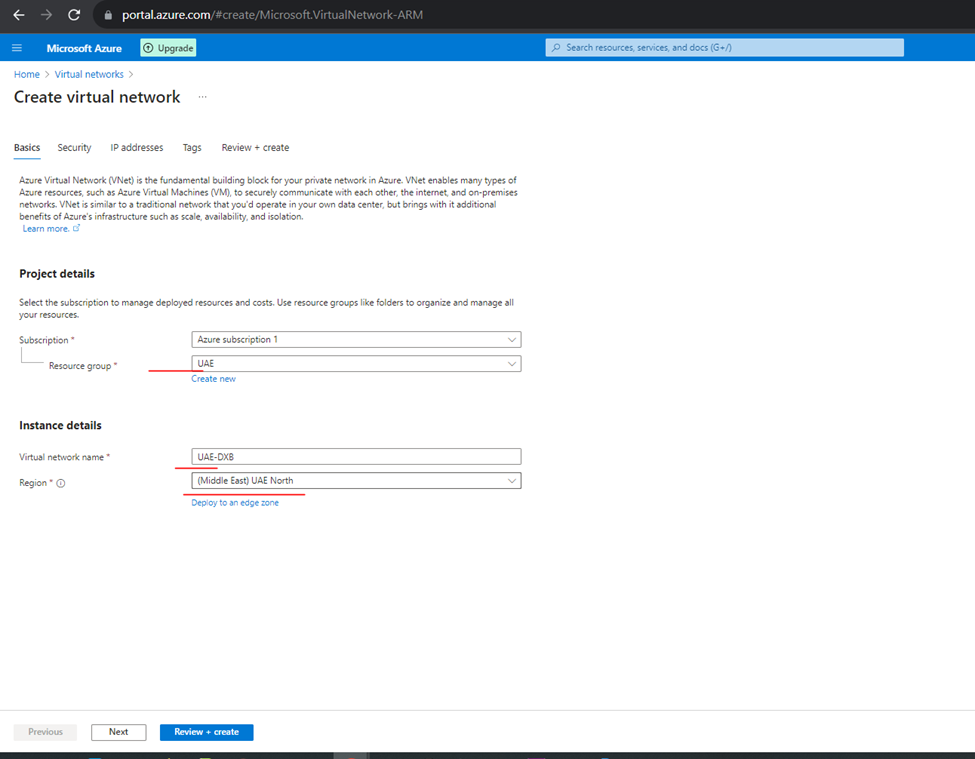
Azure Virtual Network (VNet) is the fundamental building block for your private network in Azure. VNet enables many types of Azure resources, such as Azure Virtual Machines (VM), to securely communicate with each other, the internet, and on-premises networks.
How to Create Virtual Network
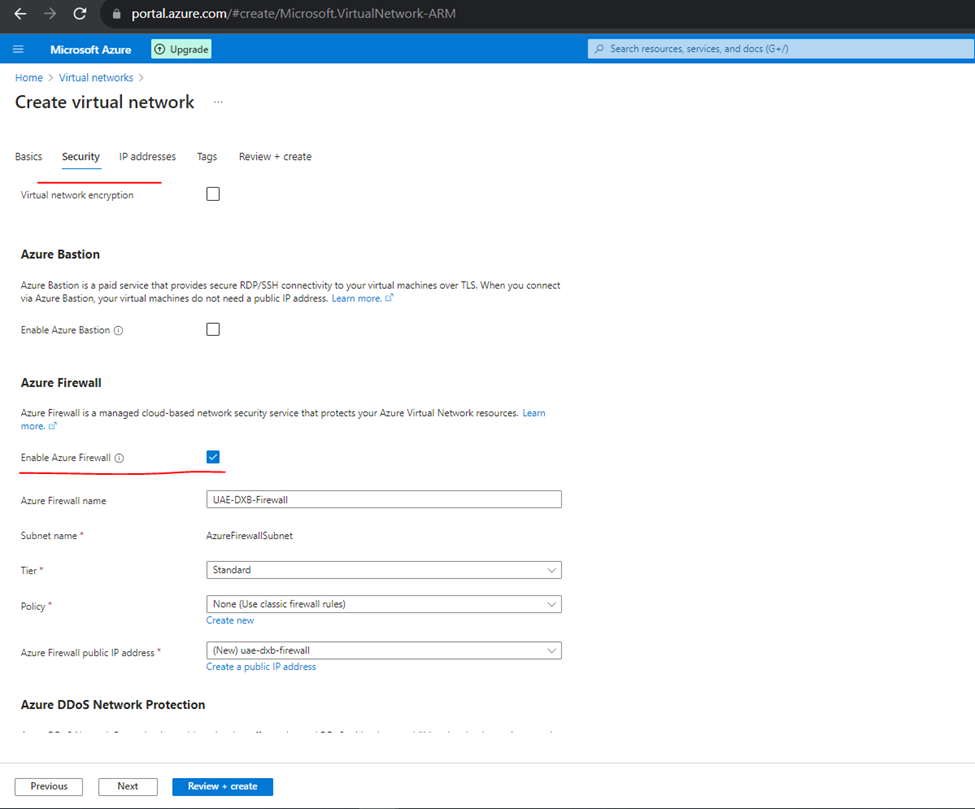
Security
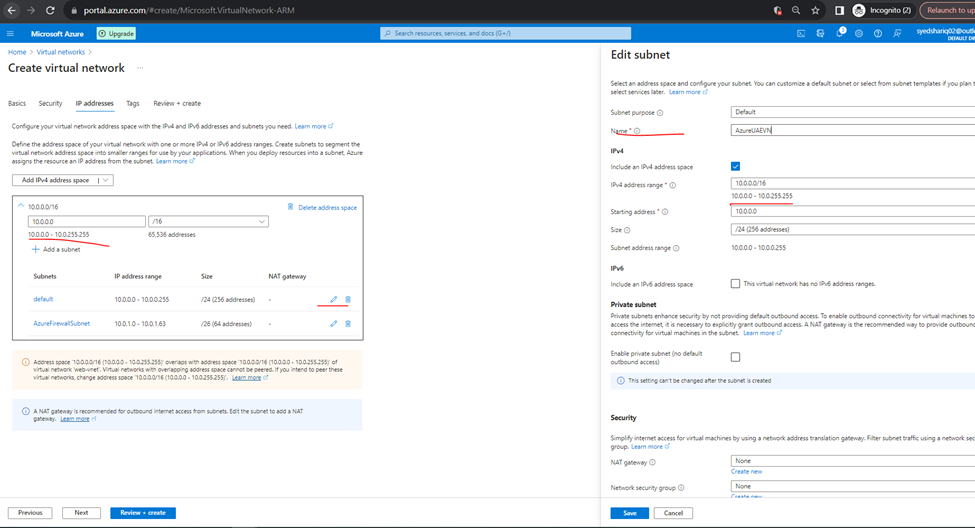
IP ADDRESS
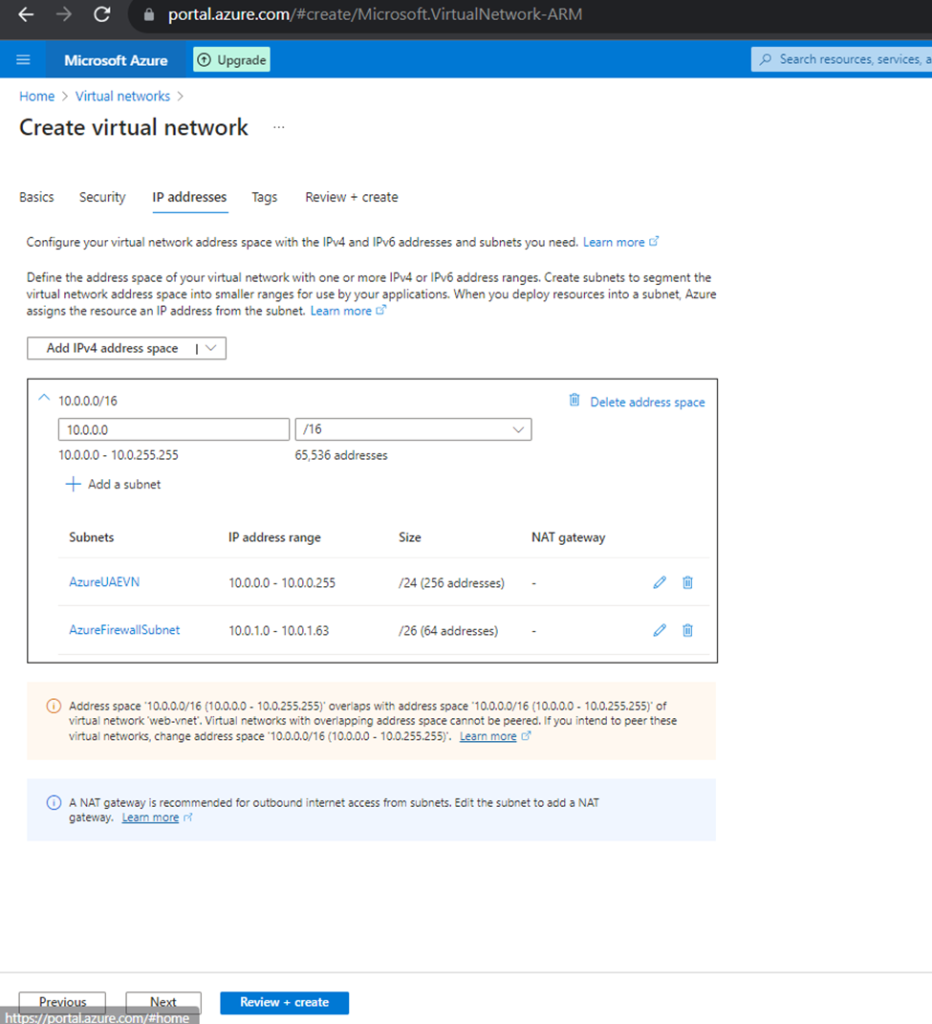
Created VN
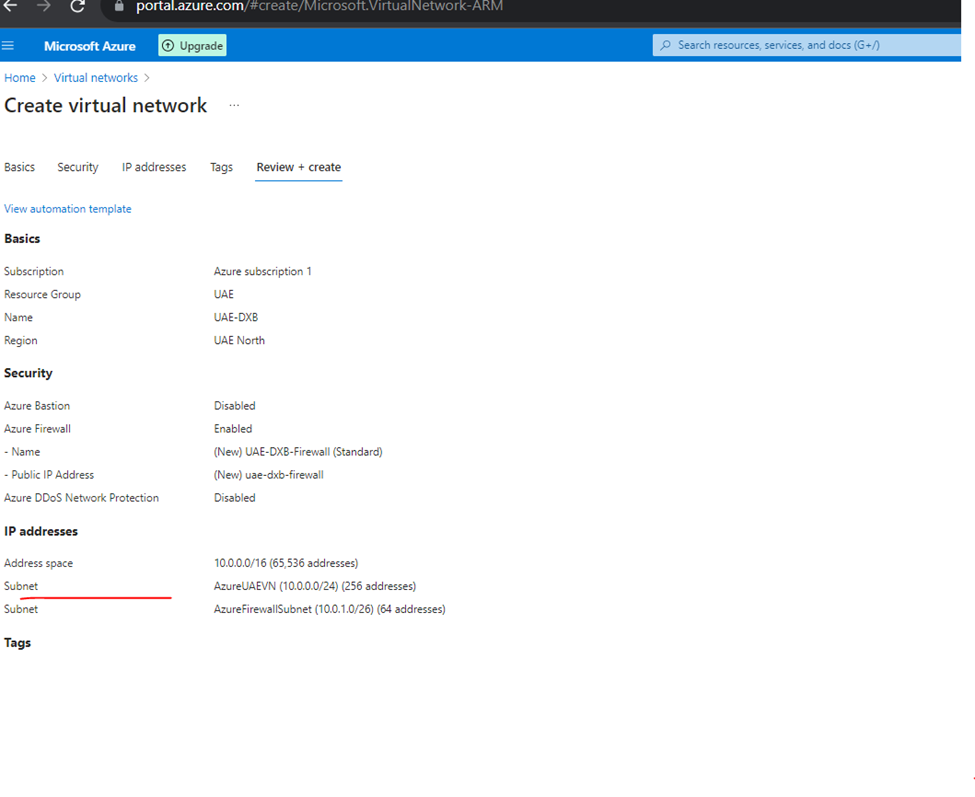
Virtual Networks
How to Create Virtual Machine
Created Virtual Machine
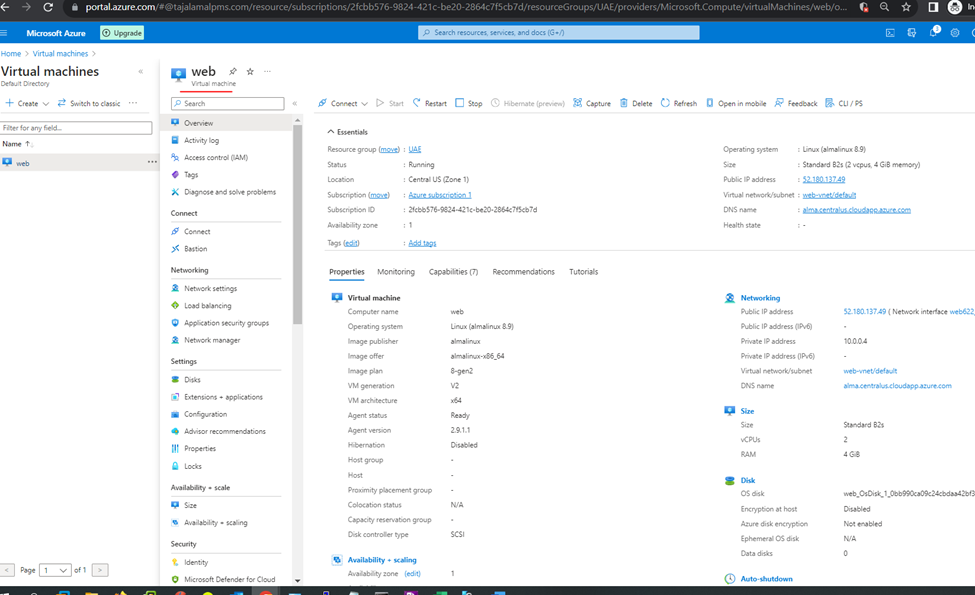
How to Add Custom Domain in Azure Virtual Machine
In Overview VM
Click on DNS
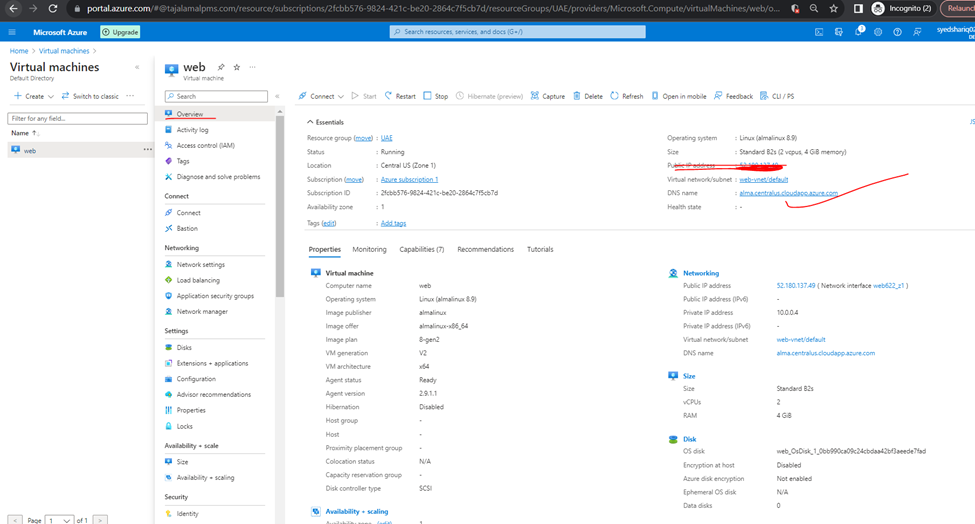
Click on add alias record
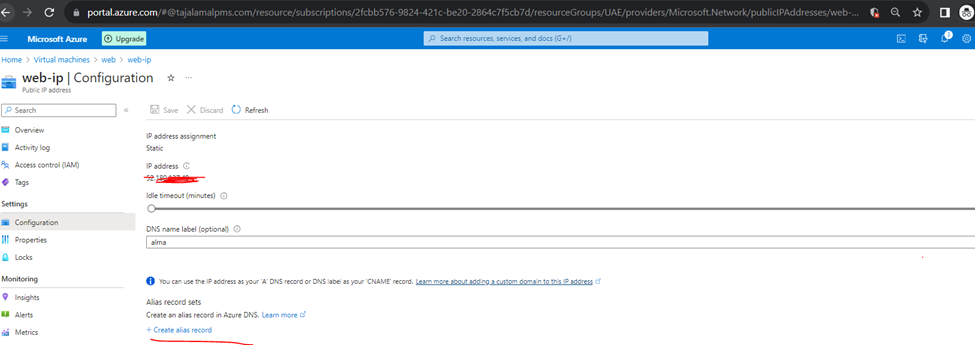
CLICK TO REVIEW AND CREATE
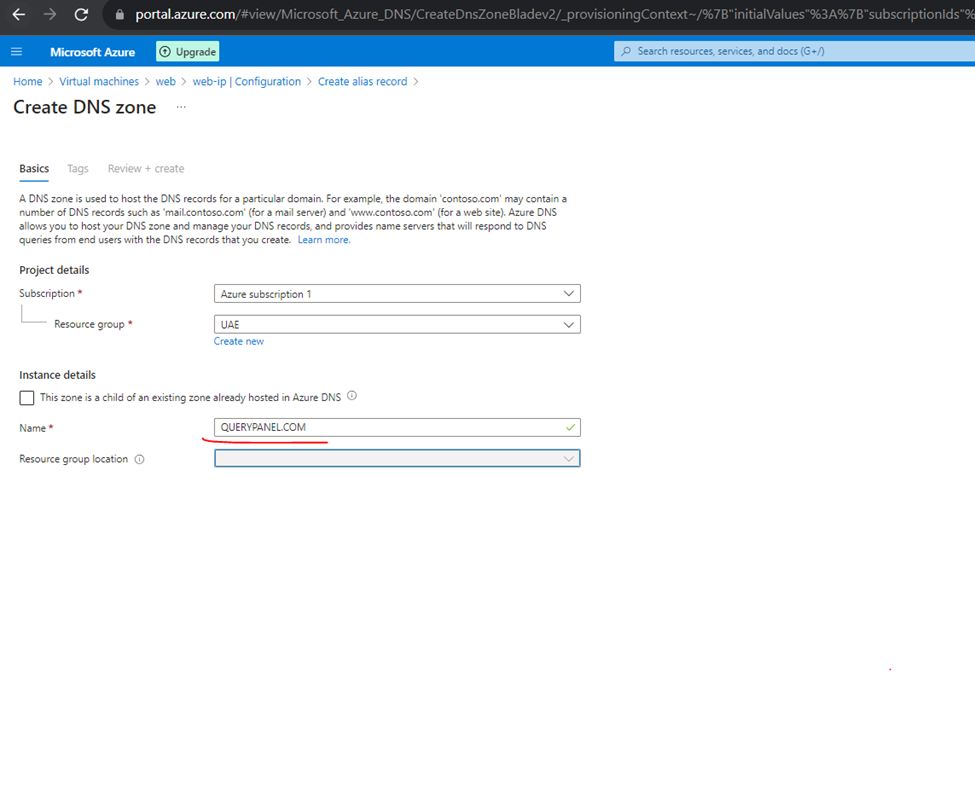
So, you can also add records
First add DNS name then add dns name to alias
Like here
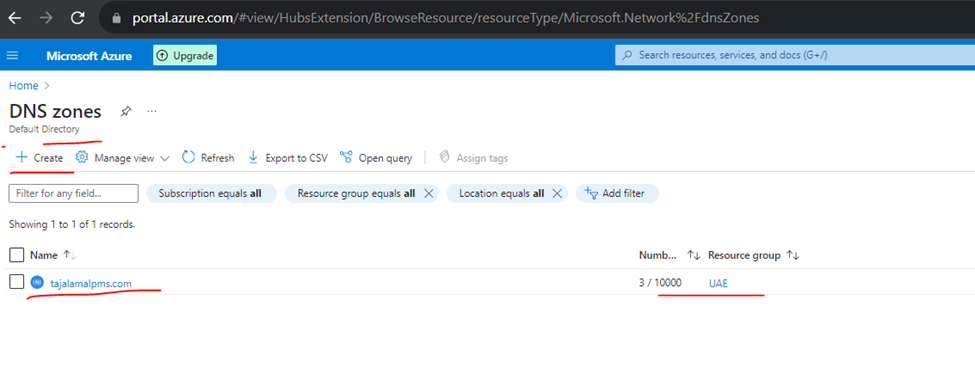
These all records will add to your domain provider according to the type
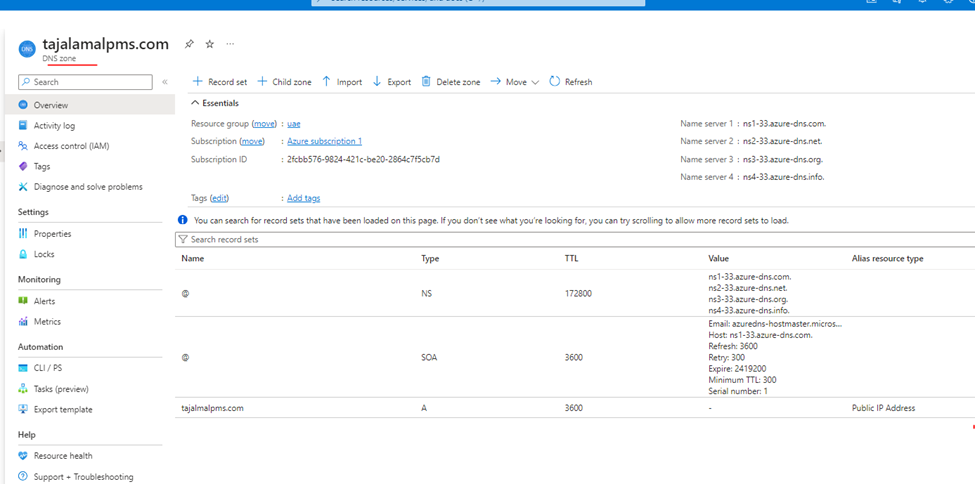
Domain Provider

Azure Active Directory – New Name – Microsoft Entra ID
How to CONNECT Azure Active Directory with Other Services
Like:
Office 365
Intune
Click on licenses
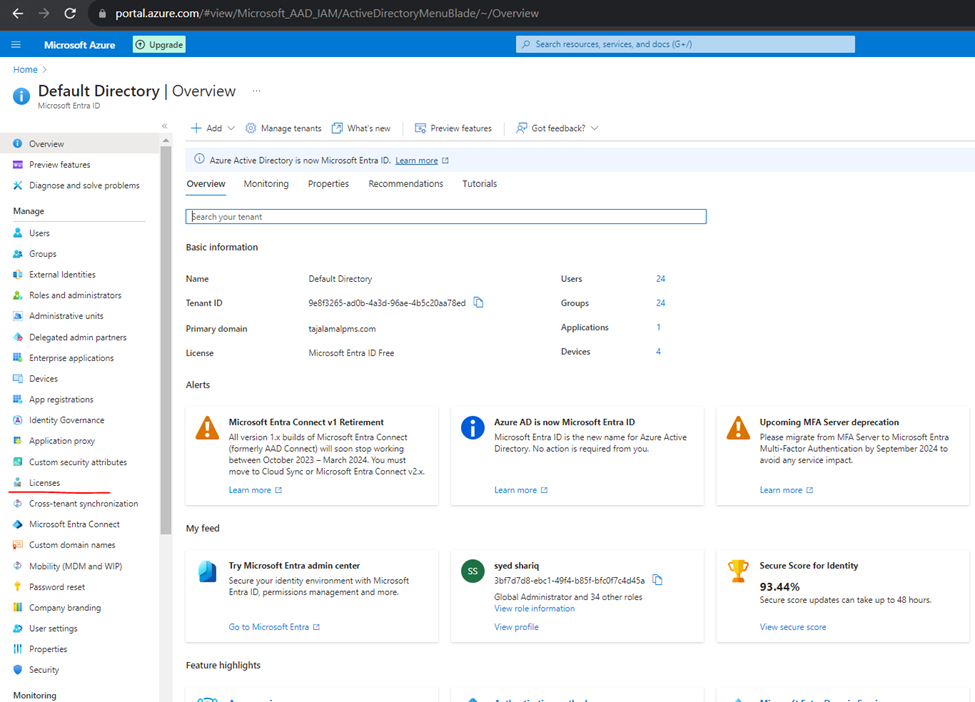
If you wanted to use 1-month free services try otherwise click on manage licenses

And click to purchase services
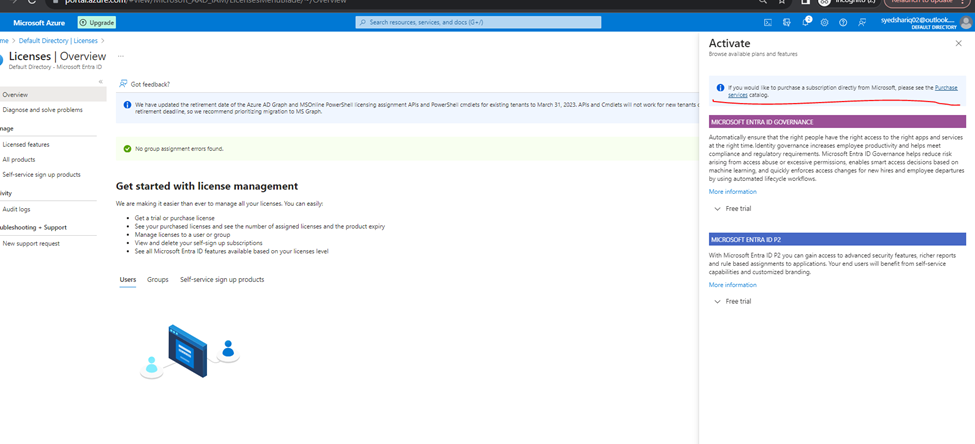
You will redirect to admin.microsoft.com page
select your license
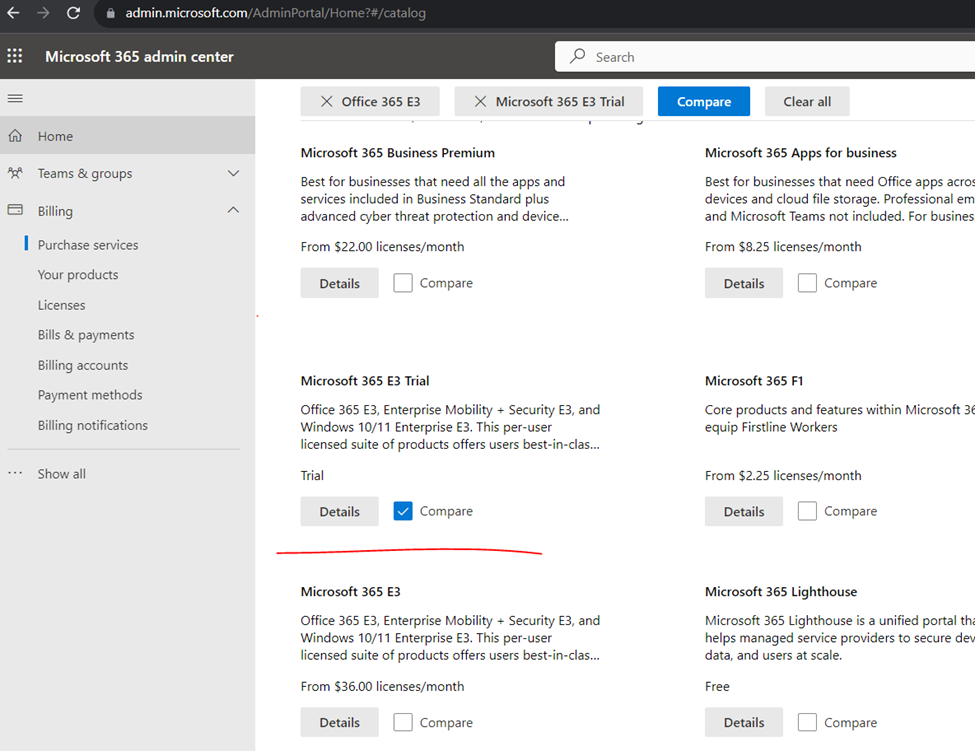
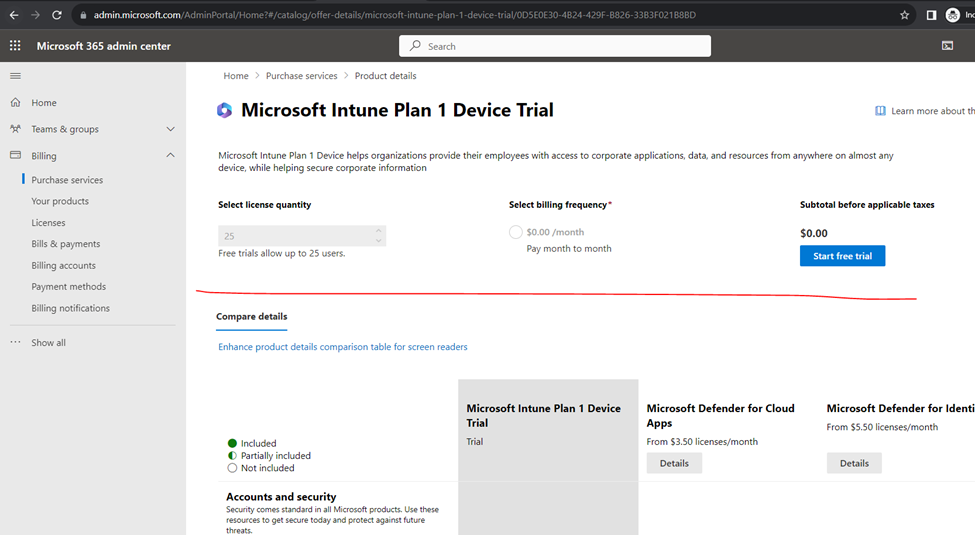
Select license click to start
How to add custom Domain in Office 365
Microsoft azure Licenses
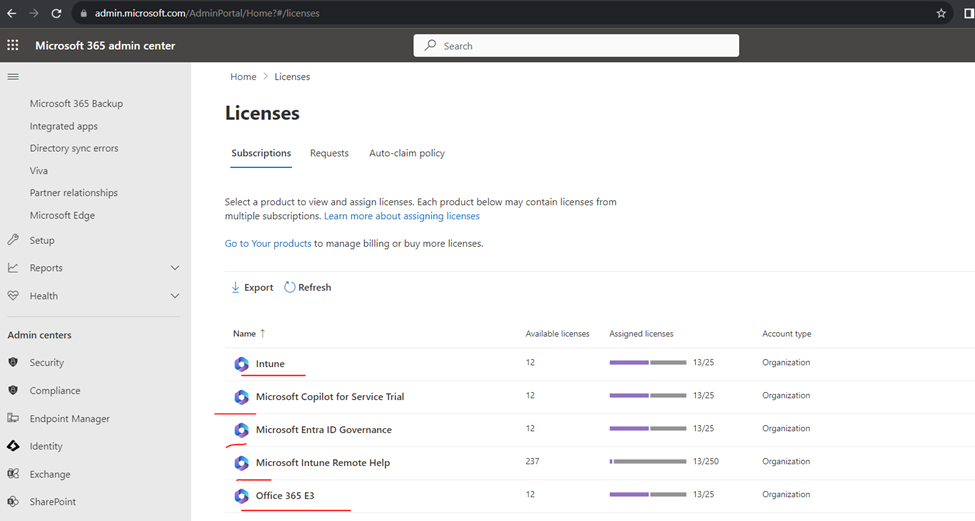
Click to settings
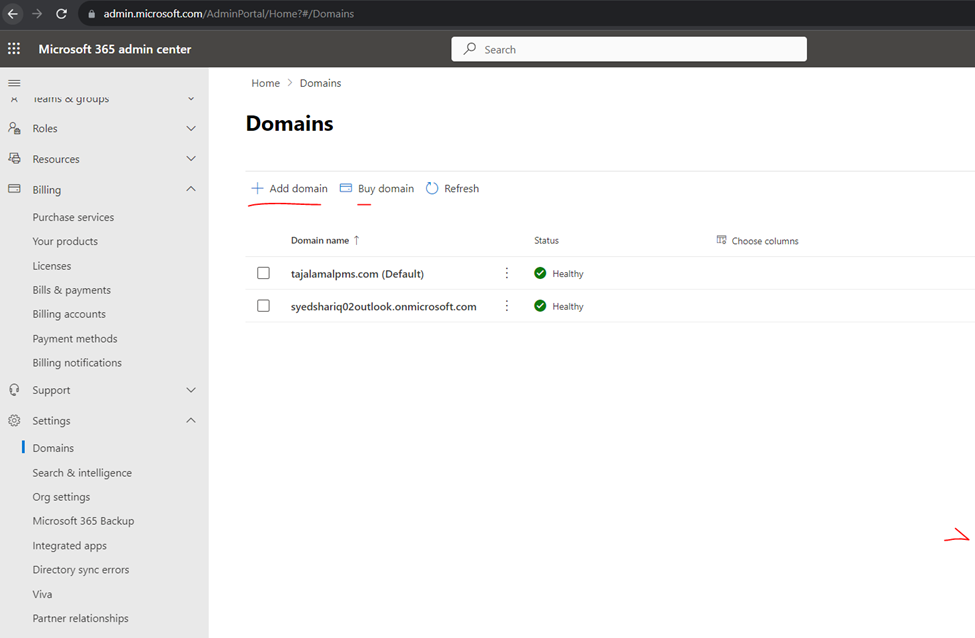
And click to domains
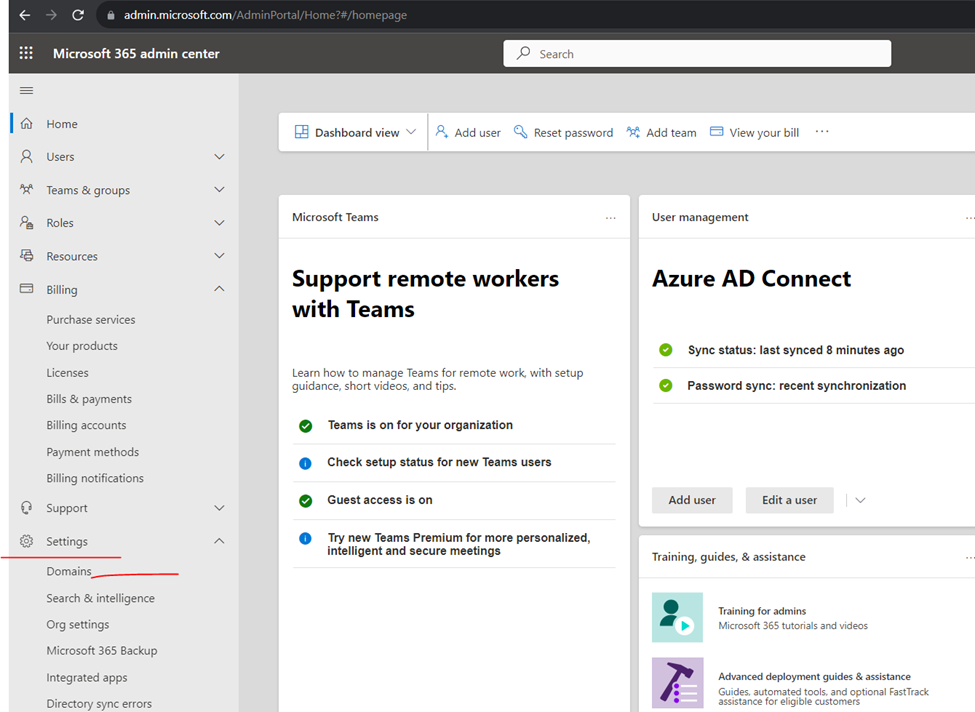
Click to add domain type the domain name
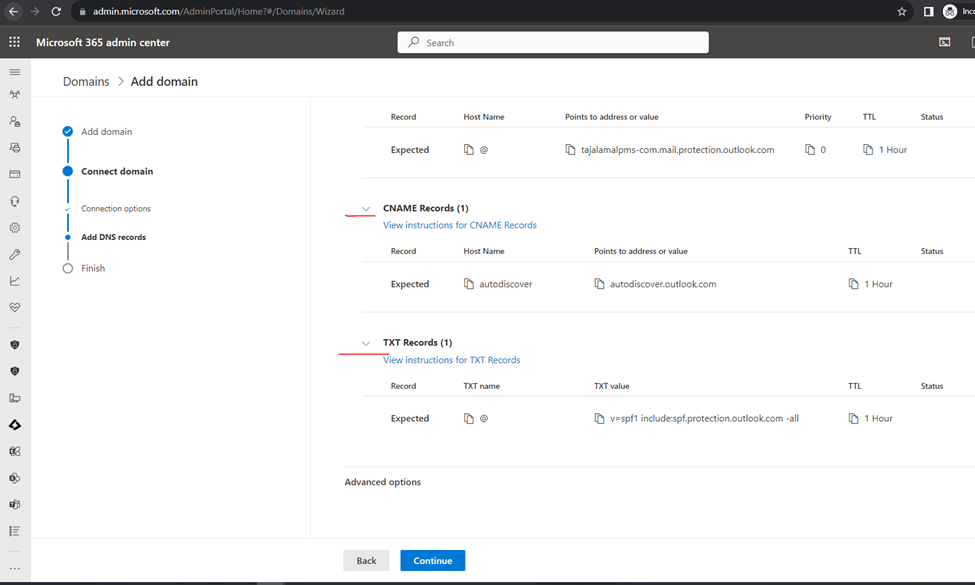
Click to add dns records

MX RECORDS

Cname & txt Records
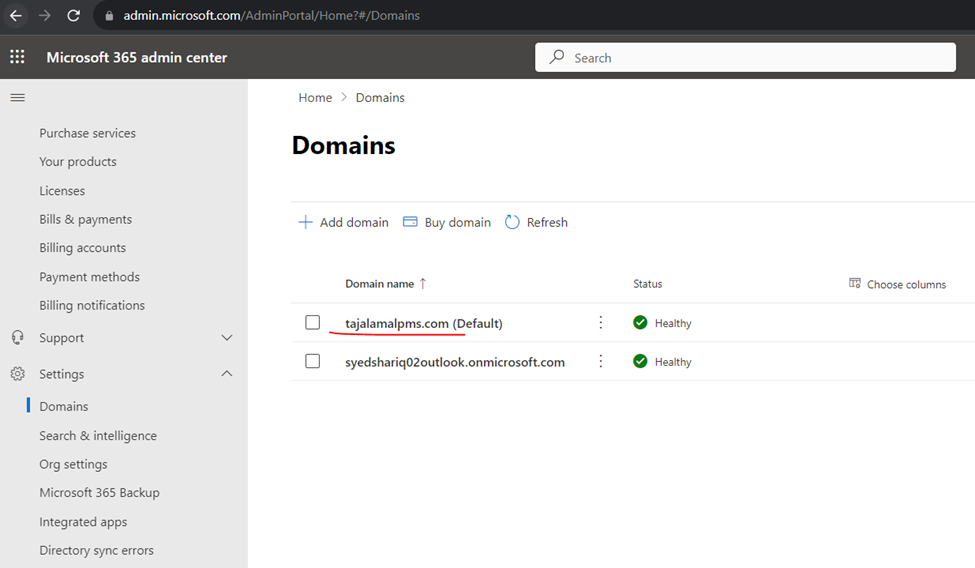
Click to continue and verify domain
Verified domain
How to Manage Exchange Online
Exchange Online (Exchange Server Azure Cloud)
ONCE YOU HAVE LOGIN TO
HOW TO OPEN Exchange online portal-
If you want to login from azure –
Open directory and click on licenses
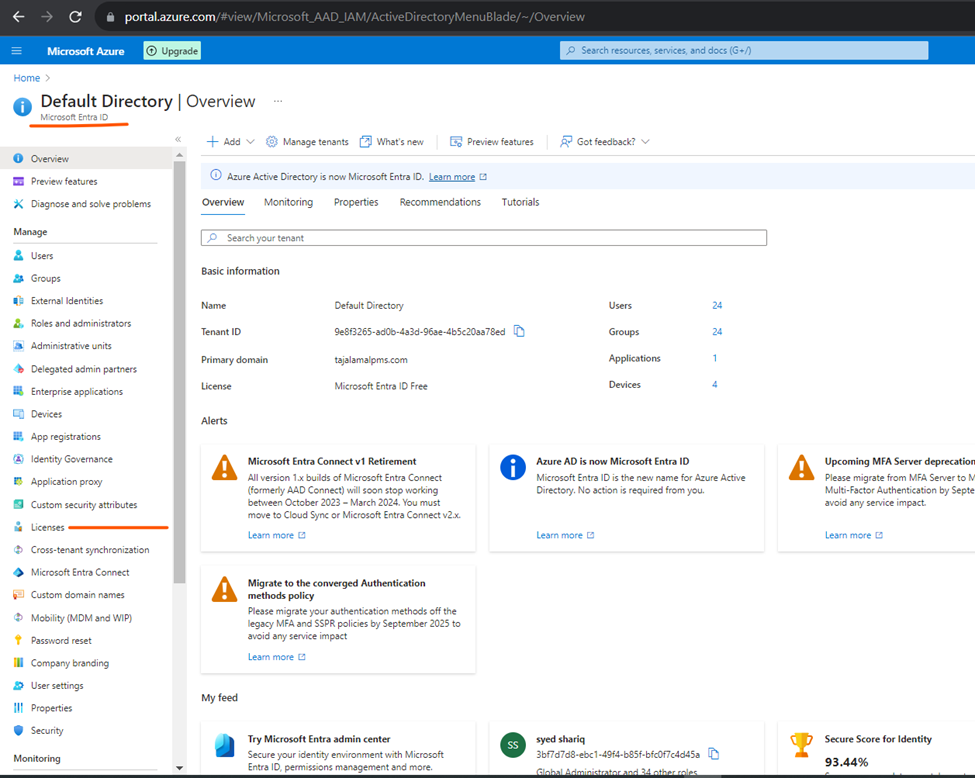
Click to manage license you will redirect to admin.microsoft.com
Or you can direct login to admin.microsoft.com
Now click on Exchange and it will open exchange online server page.
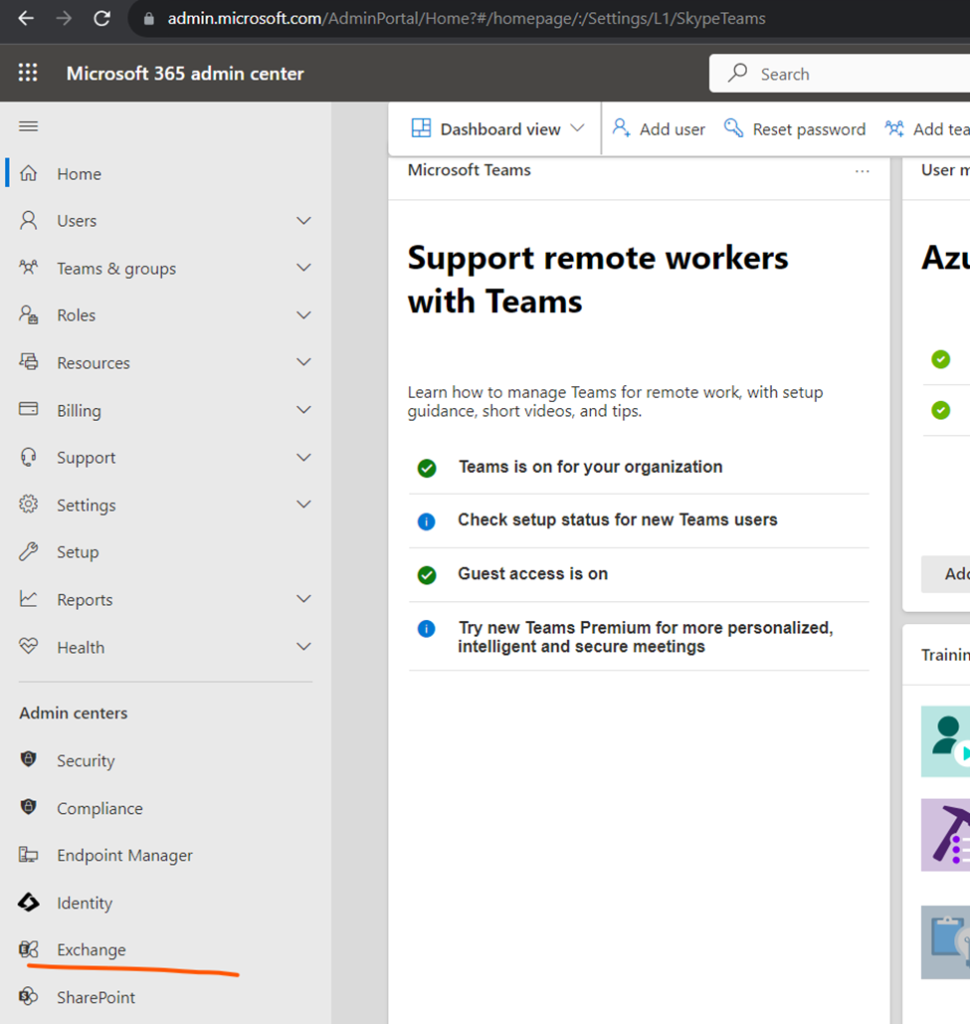
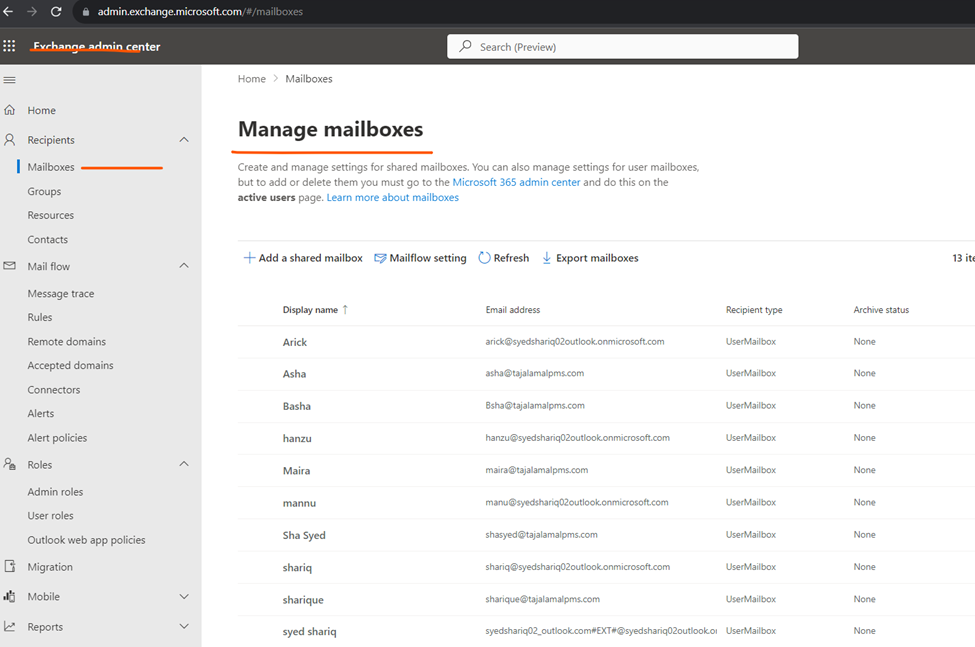
Exchange online
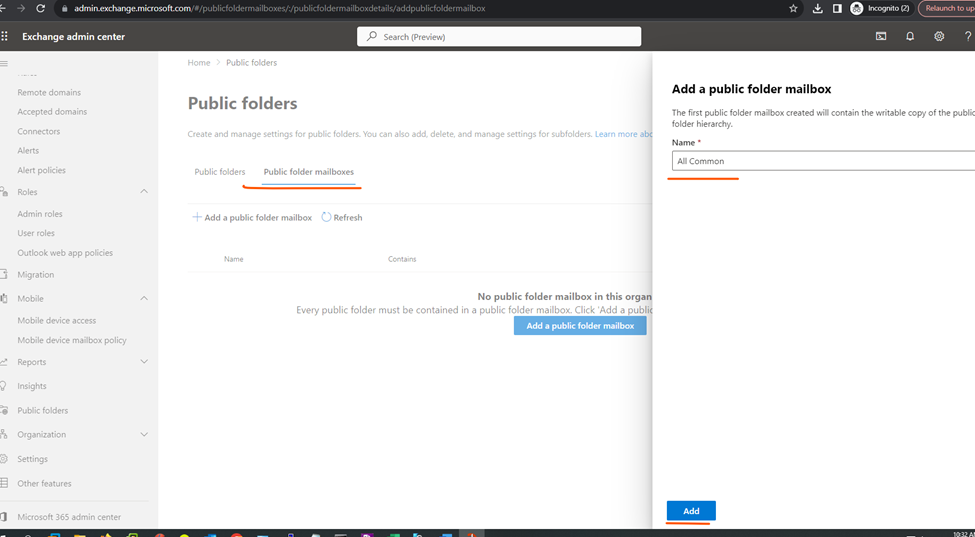
Create public folder in Exchange online
Microsoft Intune / Endpoint Security
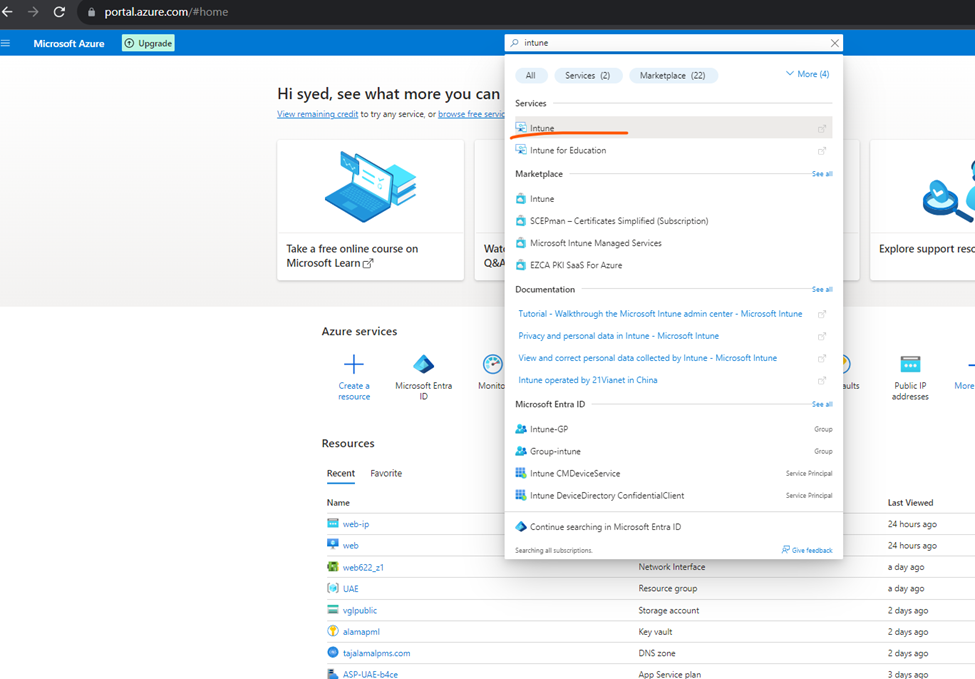
Intune Dashboard
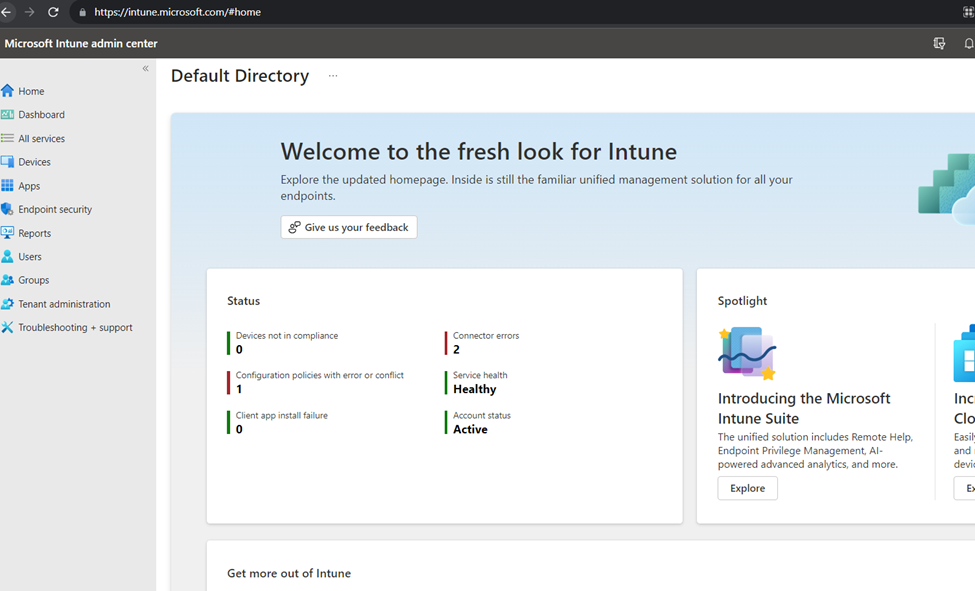
Dashboard
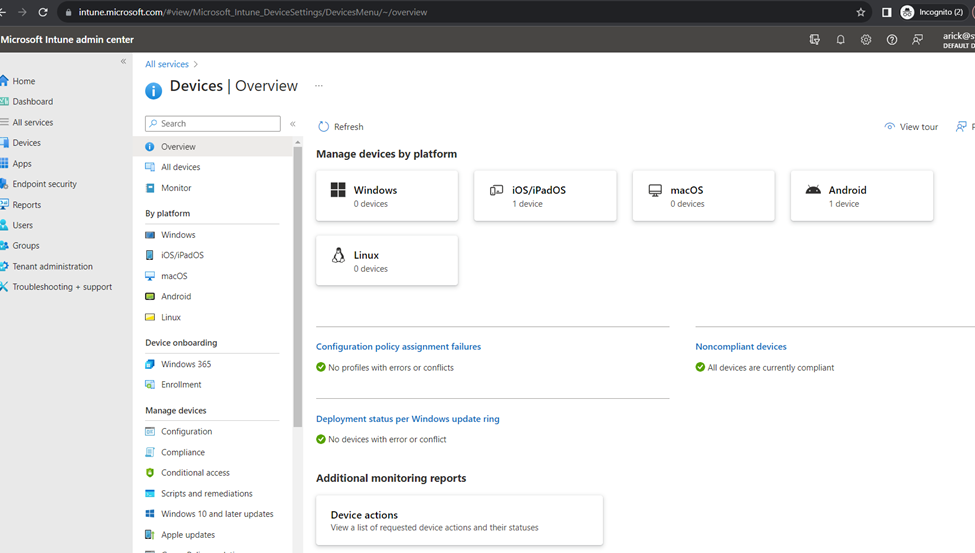
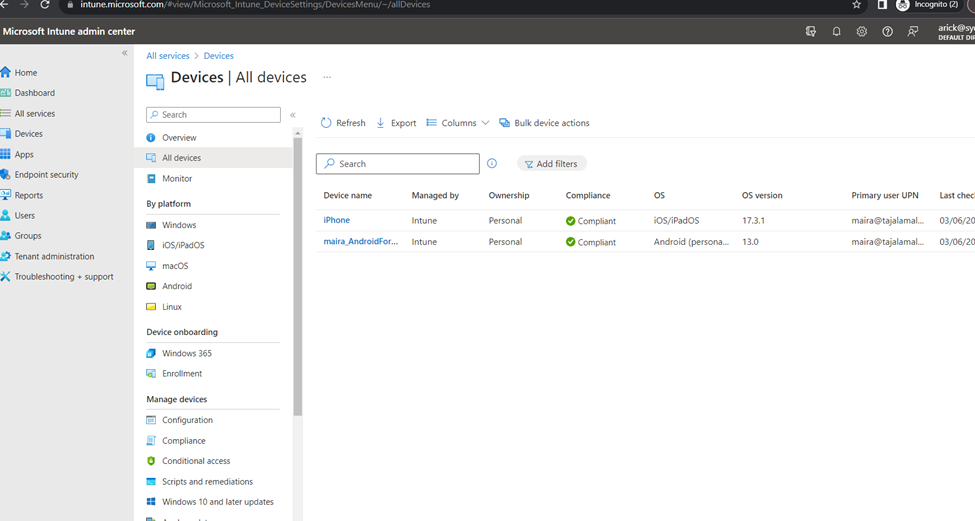
All Intune Devices
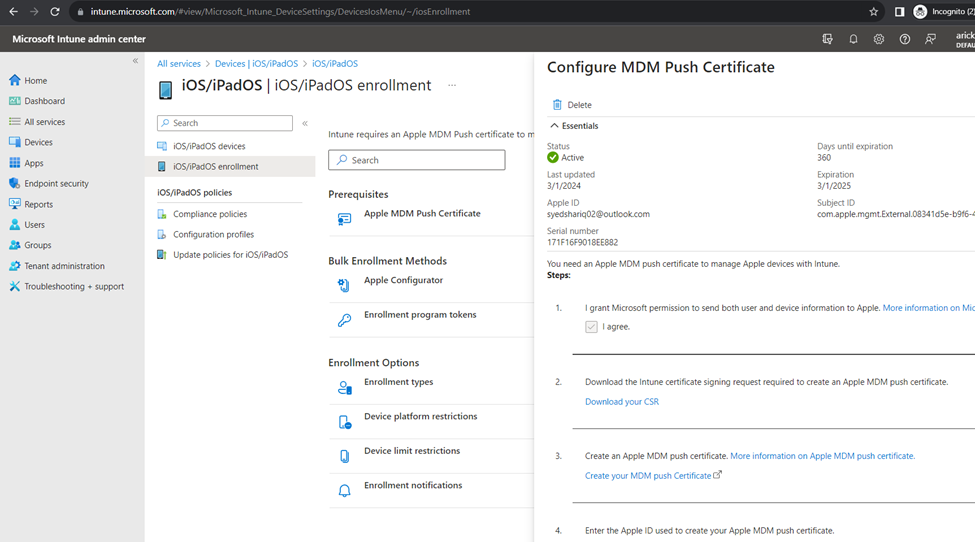
iOS/iPadOS Enrolment
Configure MDM Push Certificate
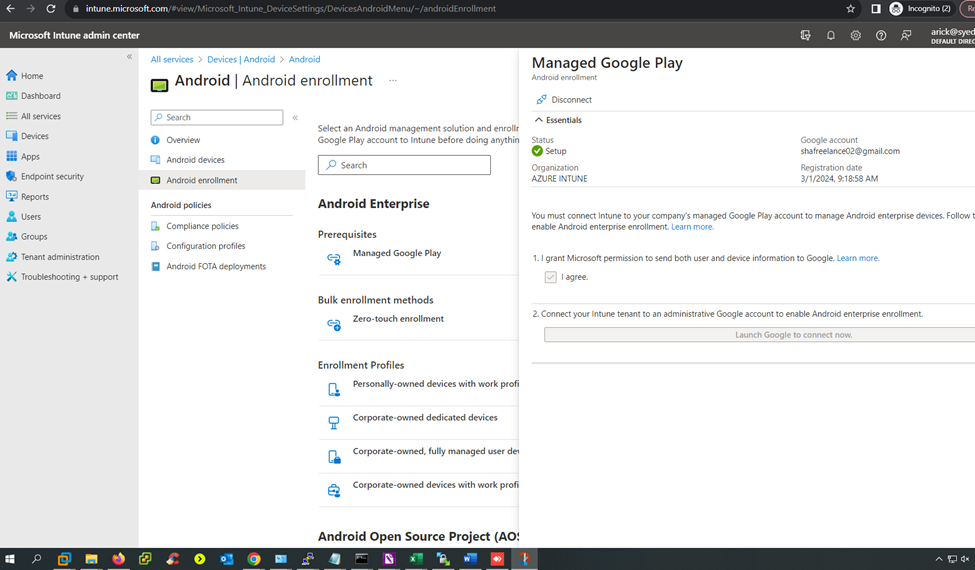
Android Enrolment
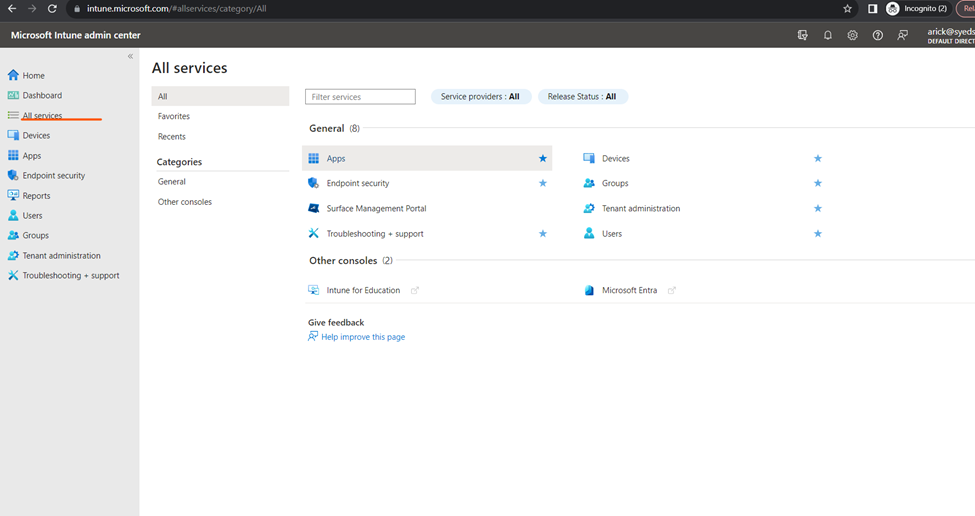
Intune all services
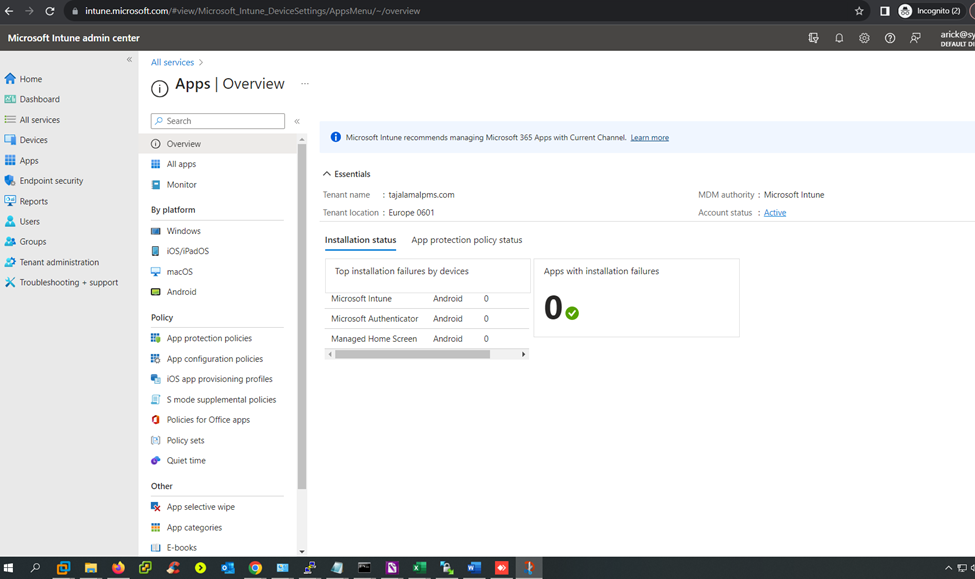
Apps
Endpoint security
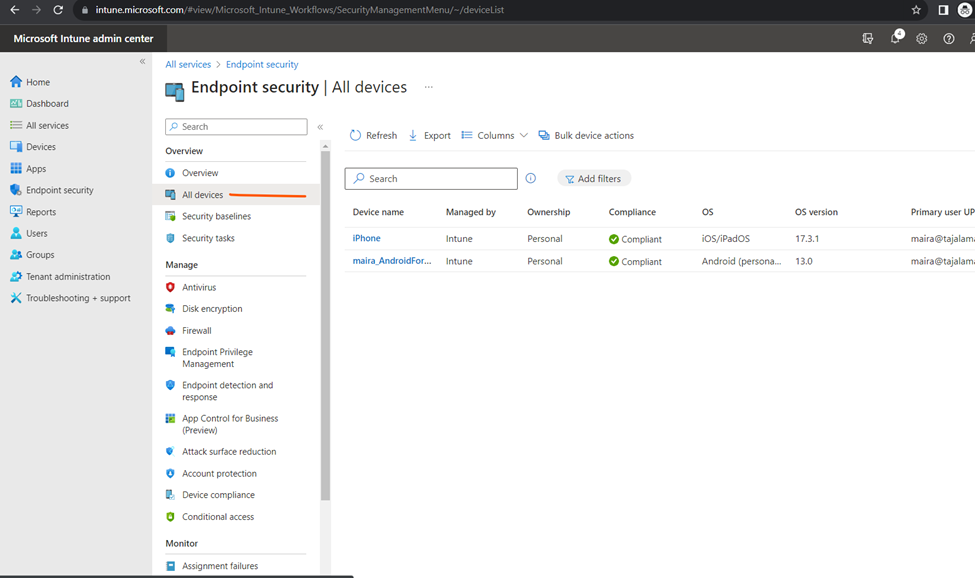
All connected devices
Antivirus
Antivirus Policy
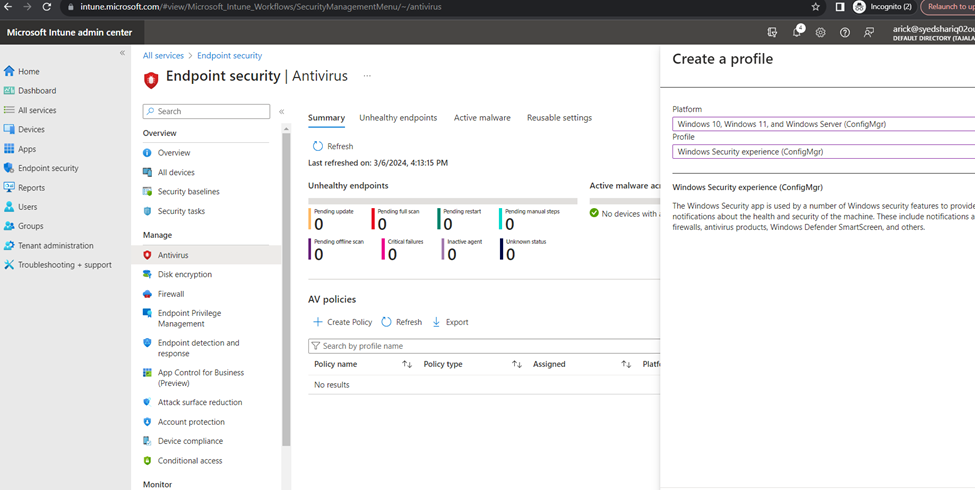
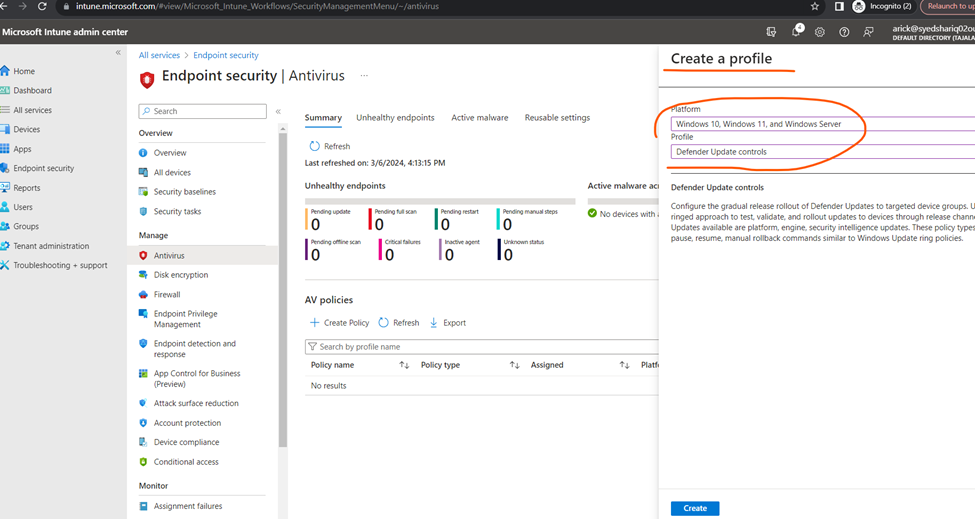
Creating new policy rules
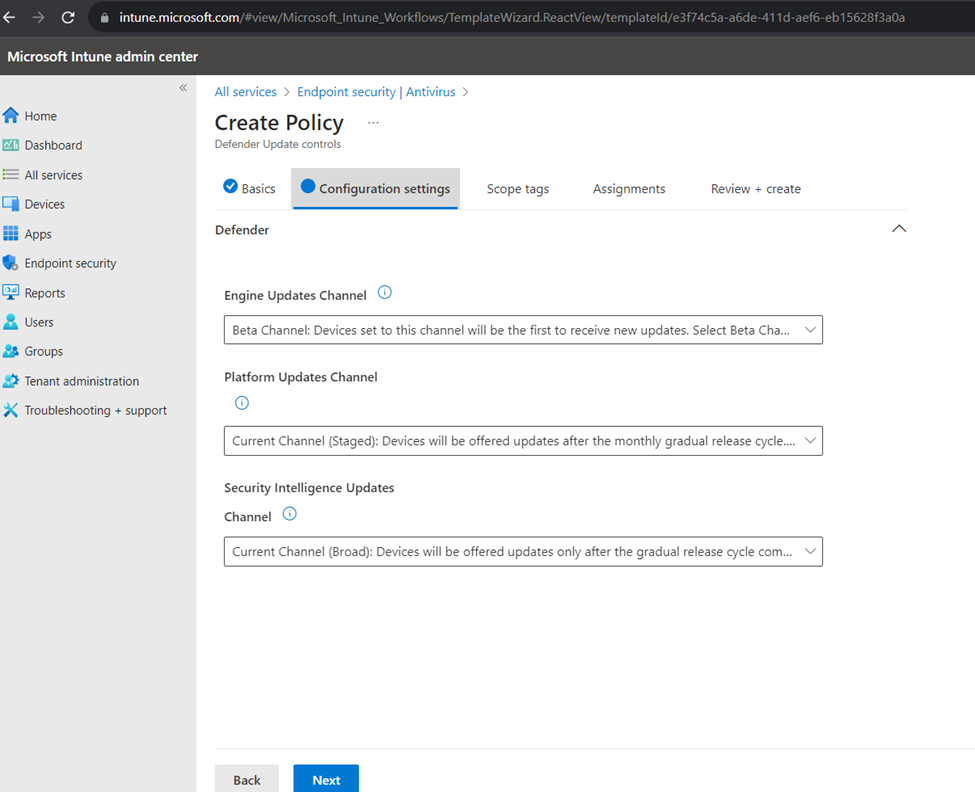
Configuration
Assignments
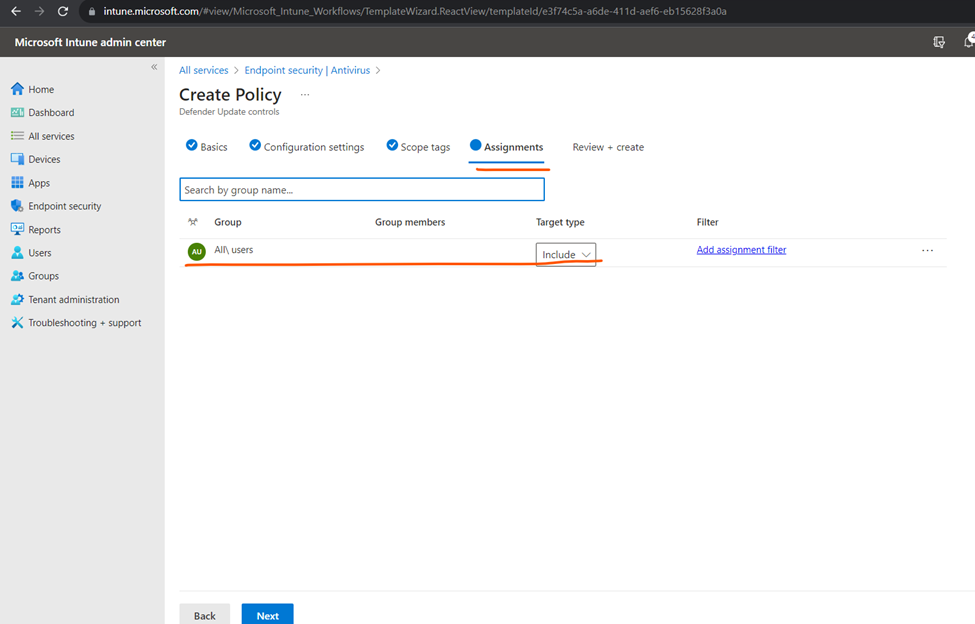
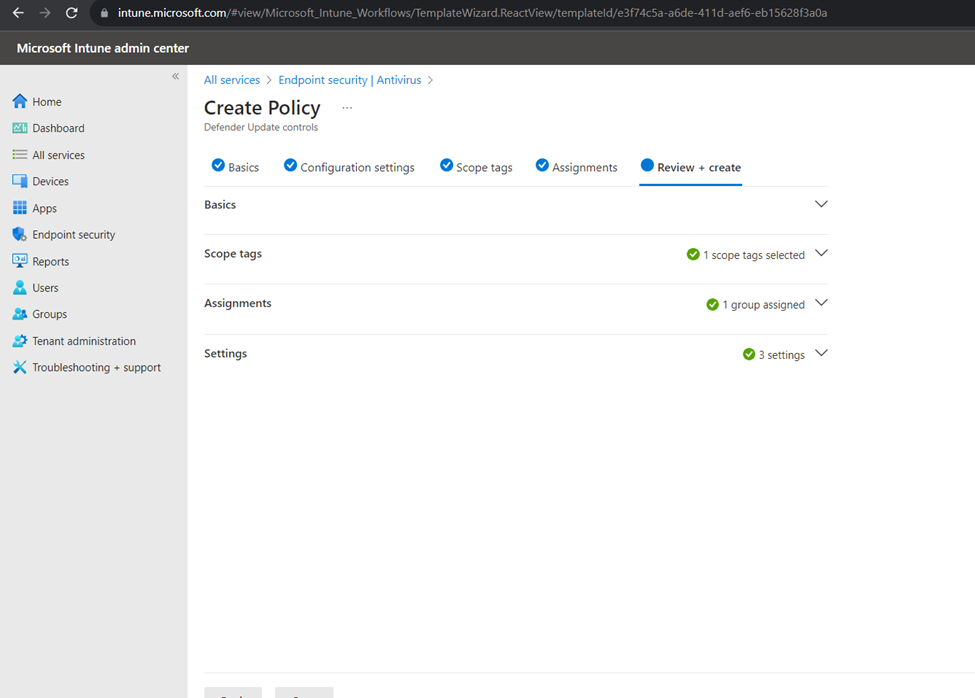
Click to next and create the policy
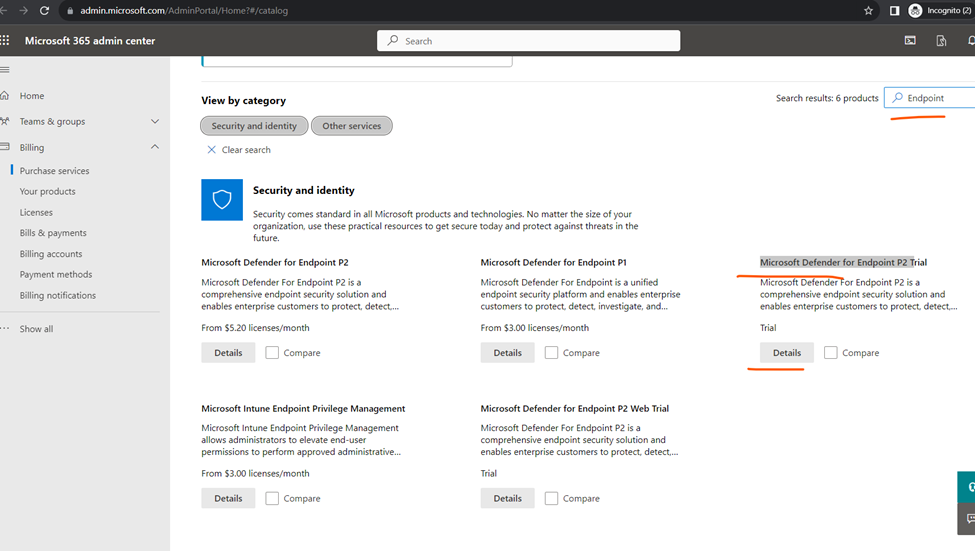
Adding Microsoft Endpoint License
Add the subscription
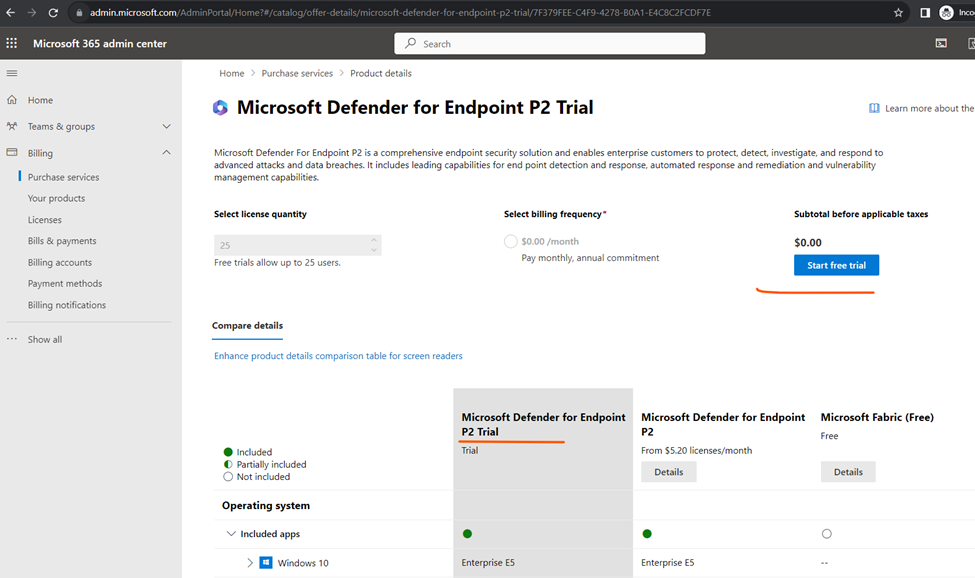
Select the product and confirm the order
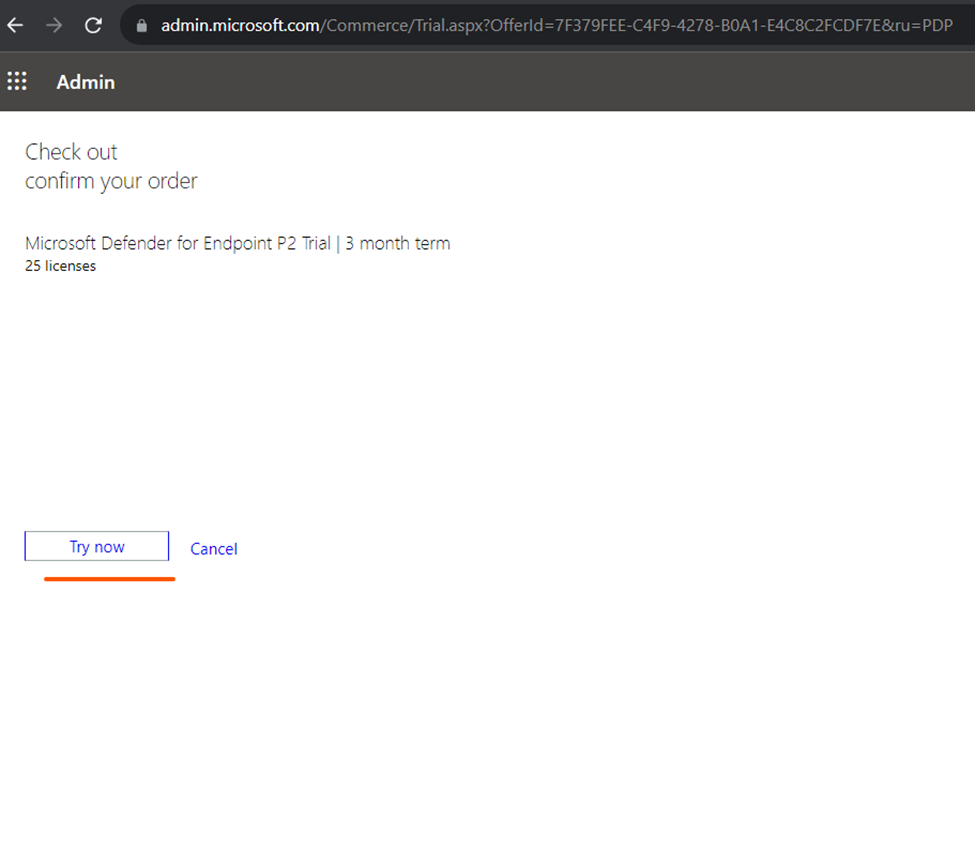
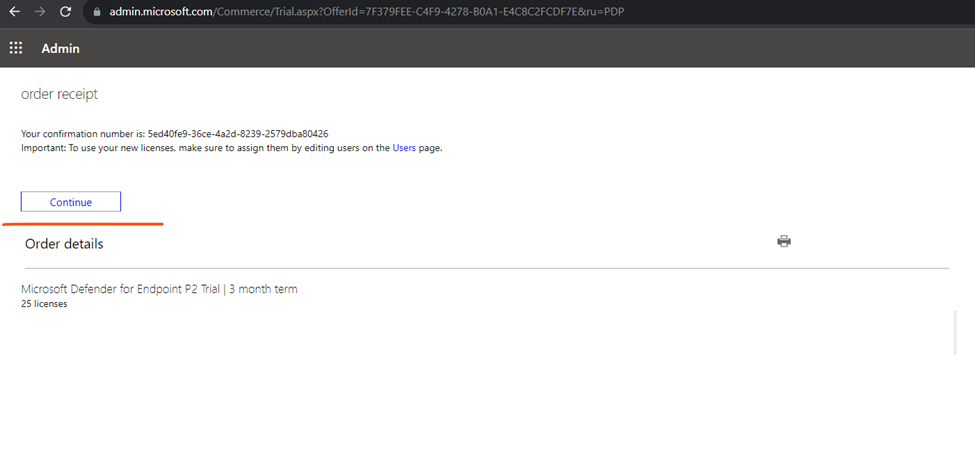
Click to continue
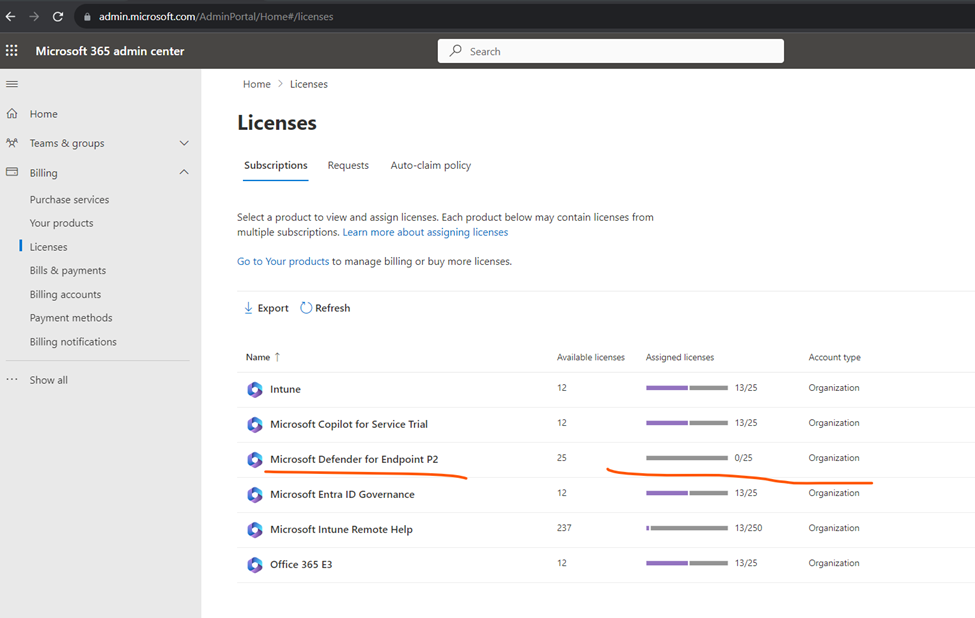
Added licenses
Assign license to users
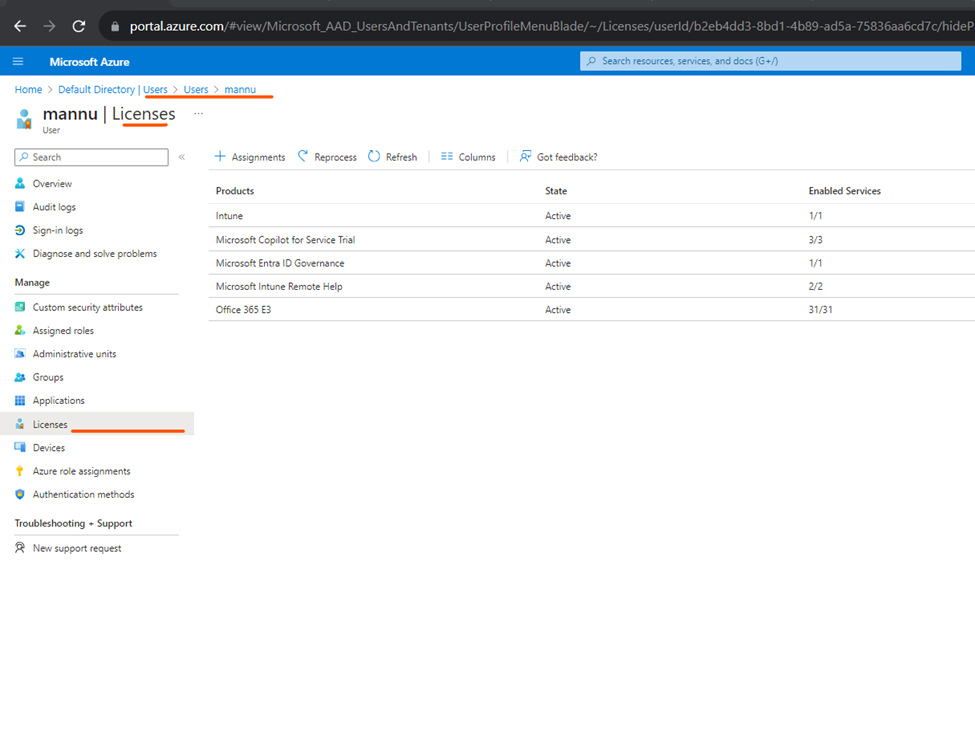
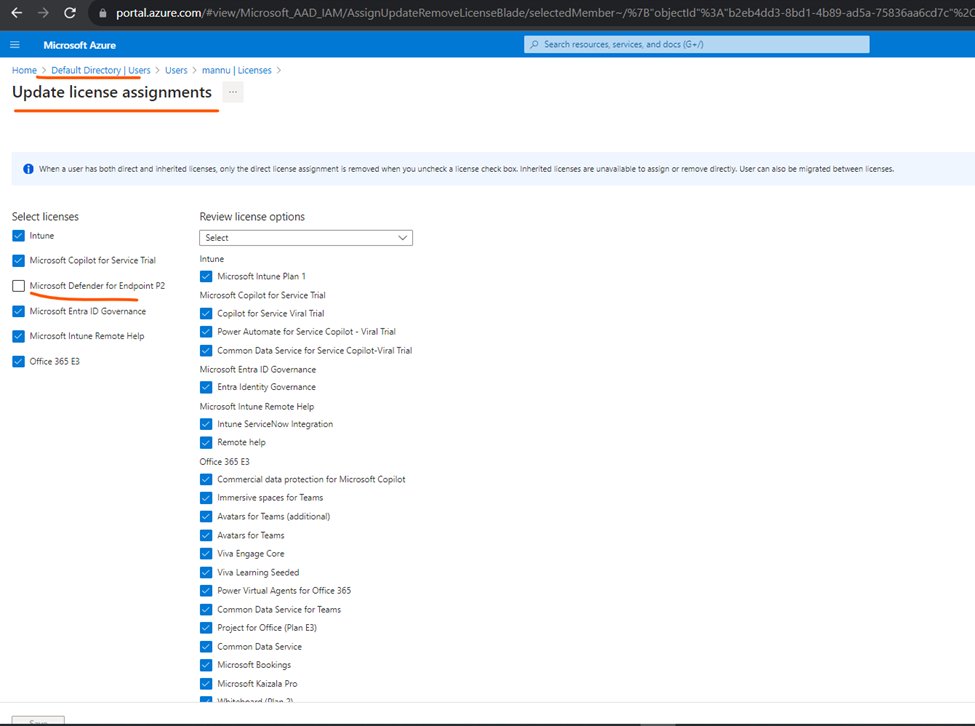
Select License