
Red Hat Linux/Centos Mariadb installation
Installing MariaDB
dnf to install the MariaDB package
You can now install the MariaDB server by running the following command
[root@rserver8 ~]# dnf install mariadb-server -y

Downloading the latest MariaDB repository
[root@rserver8 ~]# wget https://downloads.mariadb.com/MariaDB/mariadb_repo_setup

execution right to the script
[root@rserver8 ~]# chmod +x mariadb_repo_setup

Installing downloaded repo

[root@rserver8 ~]# sudo ./mariadb_repo_setup

Once the MariaDB is installed, you will need to start the MariaDB service and enable it to start at system reboot. You can do it with the following command
[root@rserver8 ~]# systemctl start mariadb

[root@rserver8 ~]# sudo systemctl enable mariadb

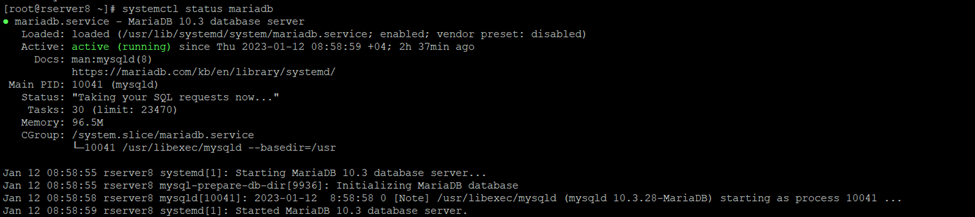
[root@rserver8 ~]# systemctl status mariadb
updating the centos server if any repository is missing
[root@rserver8 ~]# dnf update

Secure MariaDB Installation
By default, MariaDB installation is not secured on Cent OS. So it is recommended to secure the MariaDB installation and set the MariaDB root password. You can do it by running the mysql_secure_installation script
[root@rserver8 ~]# sudo mysql_secure_installation
Just press Enter. You will be asked to switch to unix_socket authentication


Once installation successfully done
Login to maria db database server
[root@rserver8 ~]# mysql -root -p
