
KEY Based Auth
Centos/RedHat Server password less authentication
Using Centos 7
First Login to your Server
Generate Authentication keys
Authentication key cmds
[root@rserver8 ~]# ssh-keygen

Once you had executed the command
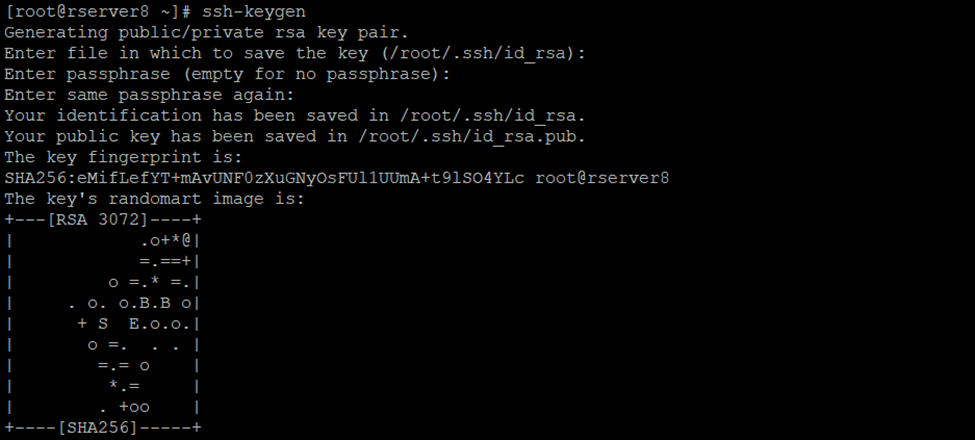
So, authorized keys are generated go to ~/.ssh/ directory or cd .ssh/
2 keys had generated
Id_rsa and id_rsa.pub

Using cat cmd display id_rsa.pub keys
[root@rserver8 .ssh]# cat id_rsa.pub
Copy this key

Create new authorized_keys file
So, using vi or vim cmd we can create
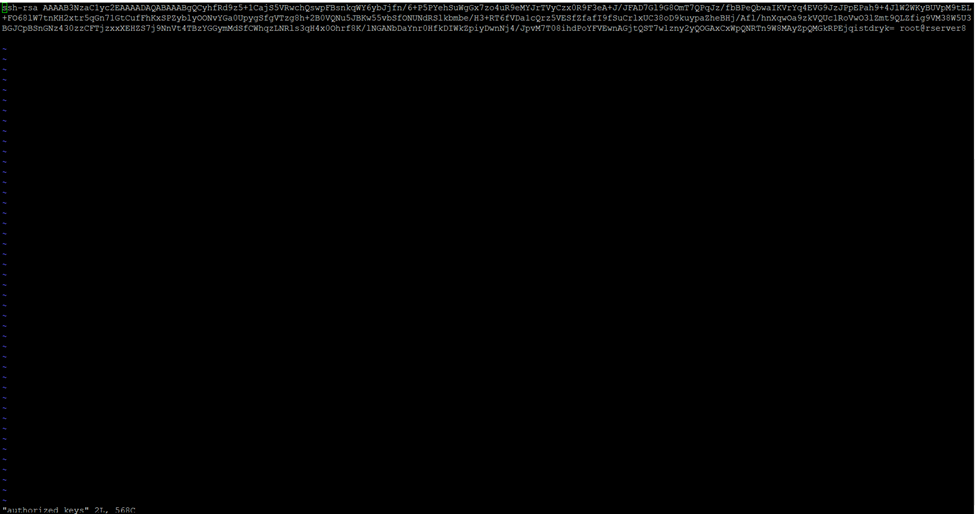
[root@rserver8 .ssh]# vi authorized_keys
Paste it here id_rsa.pub keys which you have copied using cat id_rsa.pub

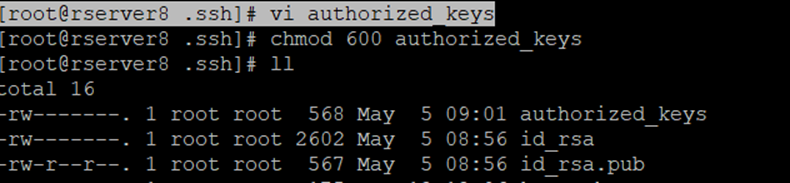
Chmod 600 sets permissions so that, user / owner can read, can write and can’t execute. Group can’t read, can’t write and can’t execute. others can’t read, can’t write and can’t
So, I had created the authorized_keys now assign the permission to this particular user
So in my case root is the owner you can create user and assign the privileges
[root@rserver8 .ssh]# chmod 600 authorized_keys

So, now need to copy private key
Again, go to .ssh folder
[root@rserver8 ~]# cd .ssh/

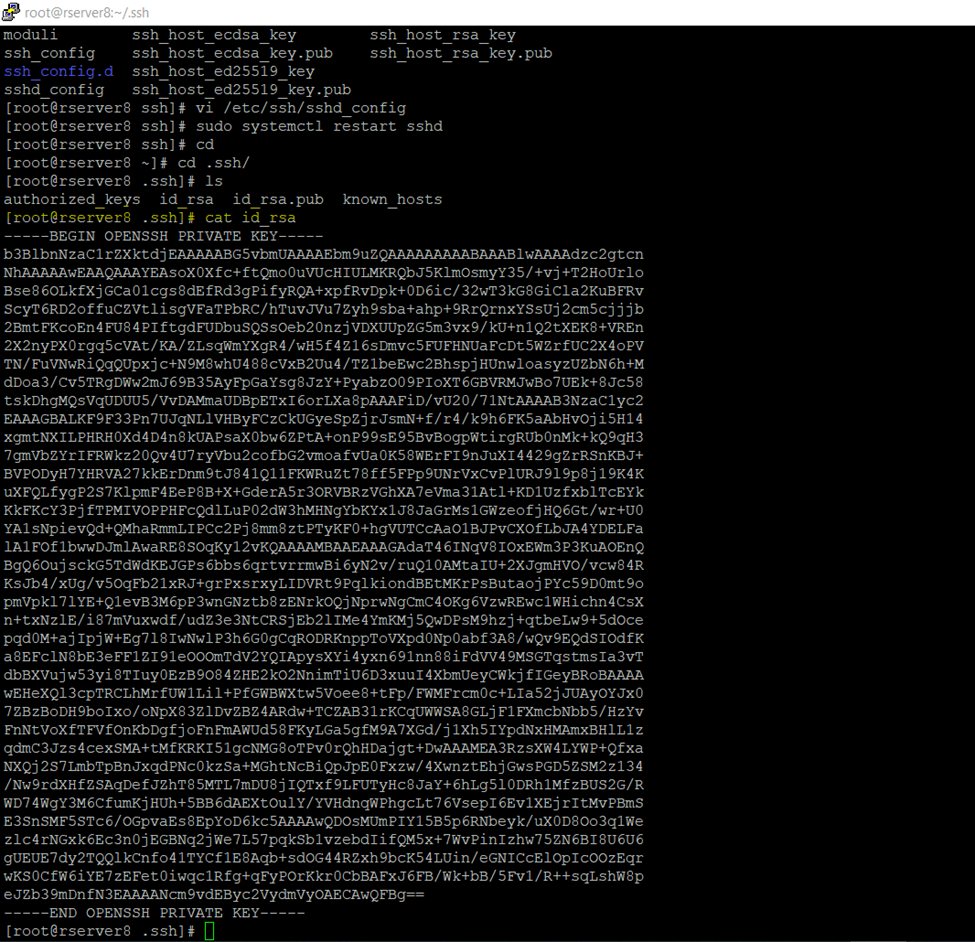
[root@rserver8 .ssh]# cat id_rsa
Copy this and paste it to any text editor
And save it to .ppk format
PuTTY Private Key
…
Now to to ssh_config and disable password authentication login
And if you are using any user you can also disable root login
[root@rserver8 .ssh]# vi /etc/ssh/sshd_config
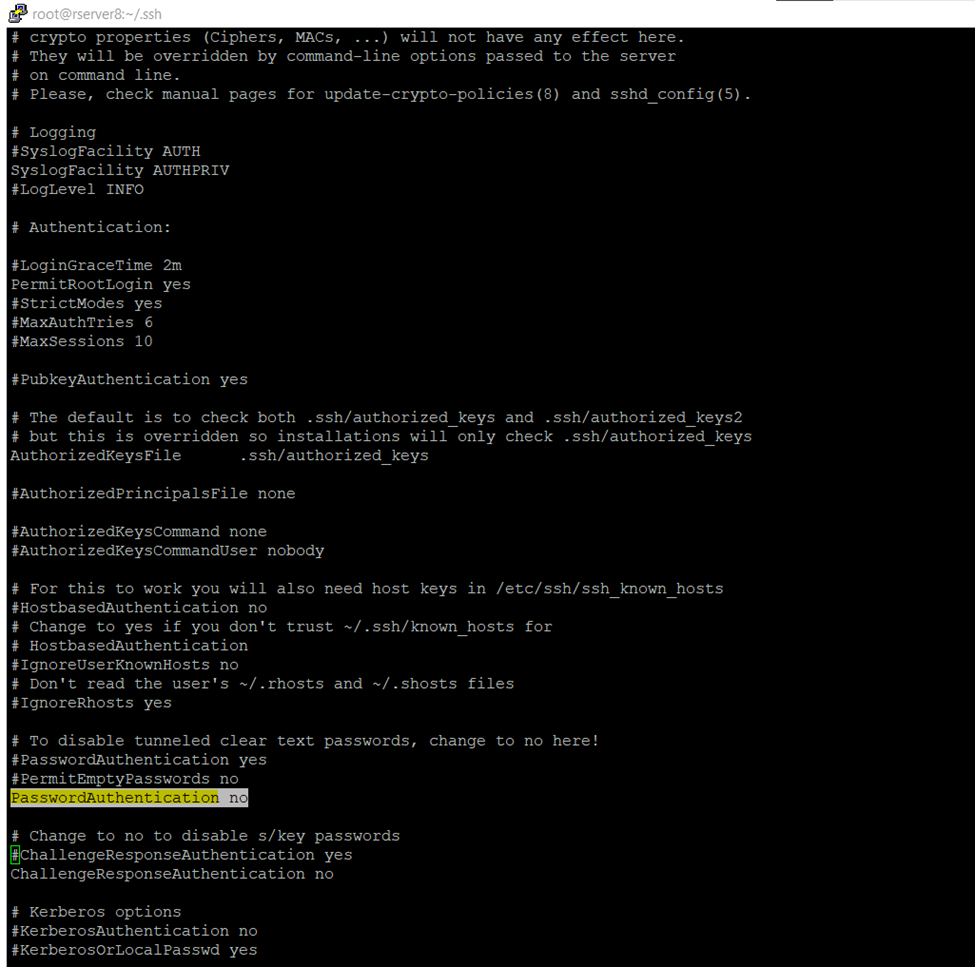
So, once authentication done restart the sshd services (Secure Shell or Secure Socket Shell).
[root@rserver8 .ssh]# sudo systemctl restart sshd

I am saving private key in notepad text editor .ppk format
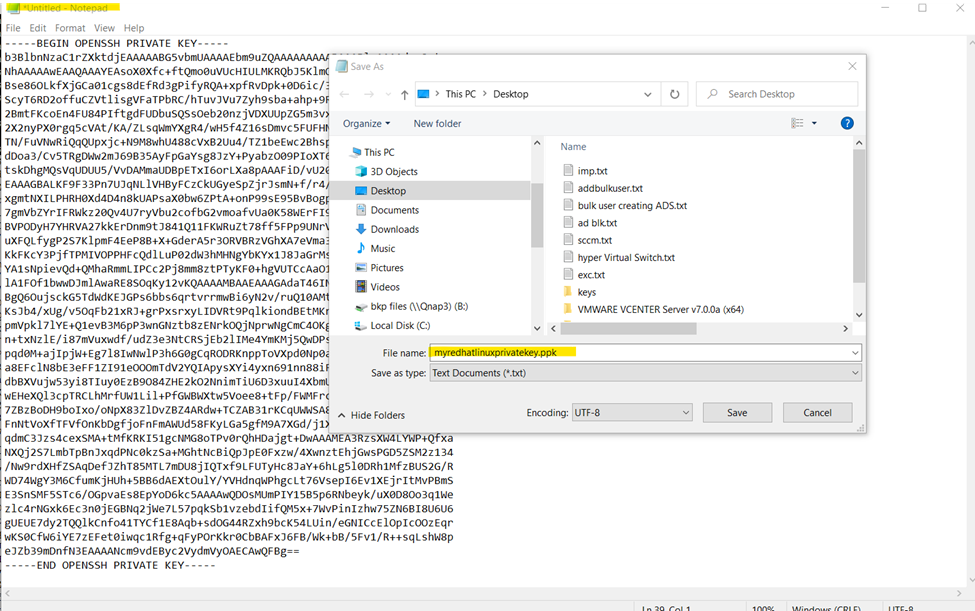
So here we need to convert in putty format if we don’t do it, we will get the error.
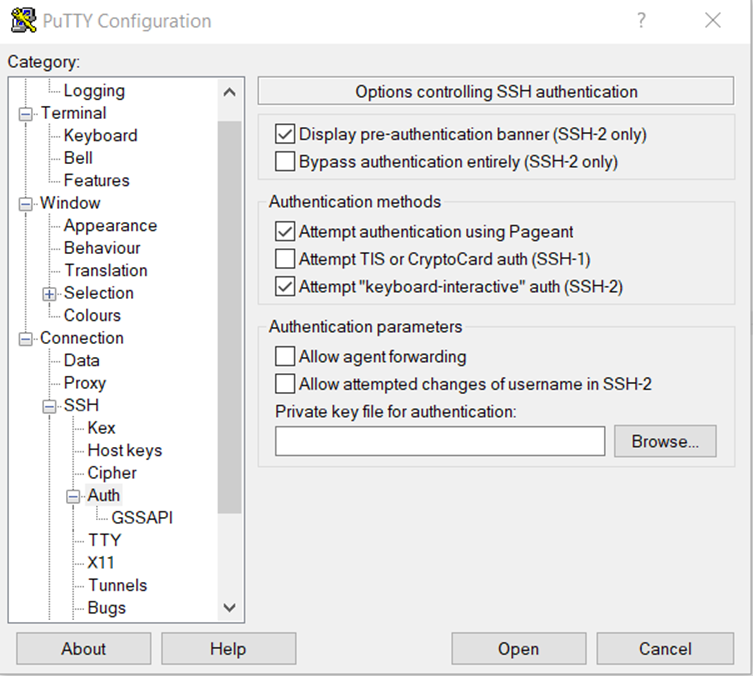
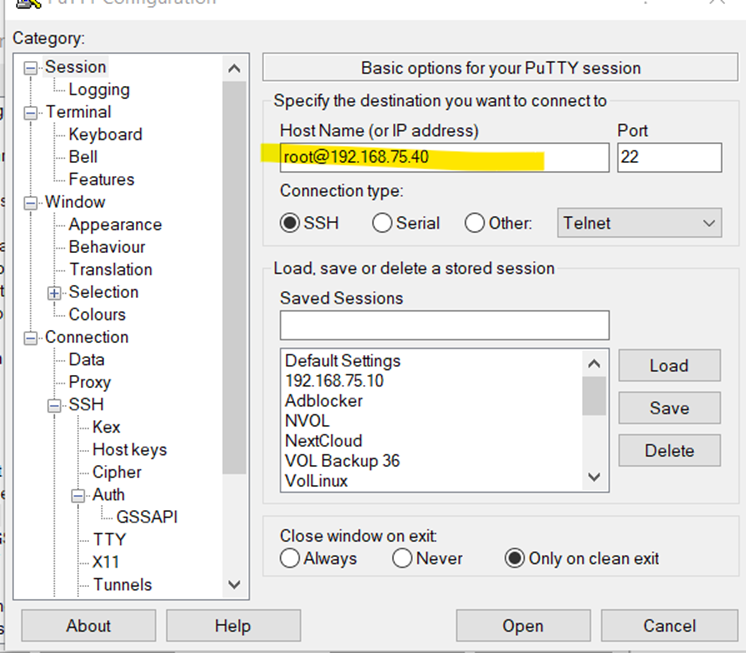
Go to ssh tab and browse the .ppk save private here we will get error because we are not using putty format
If you can check getting the format error
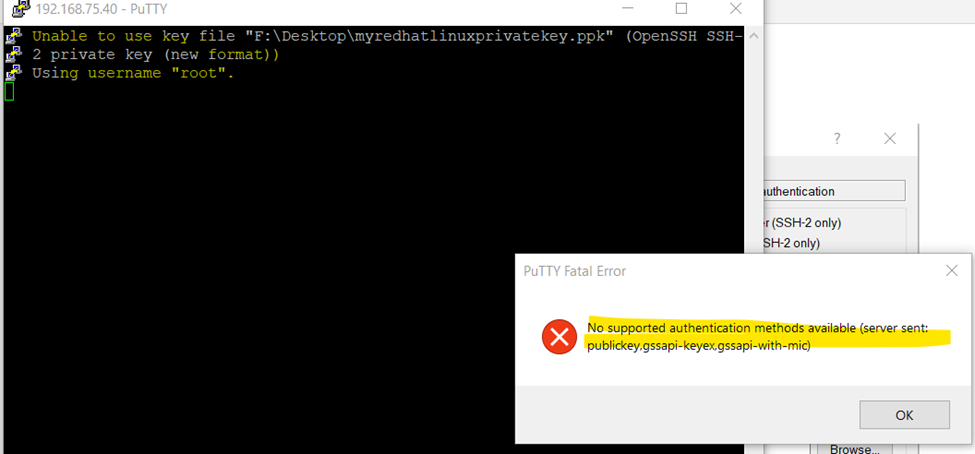
Now open the putty generator
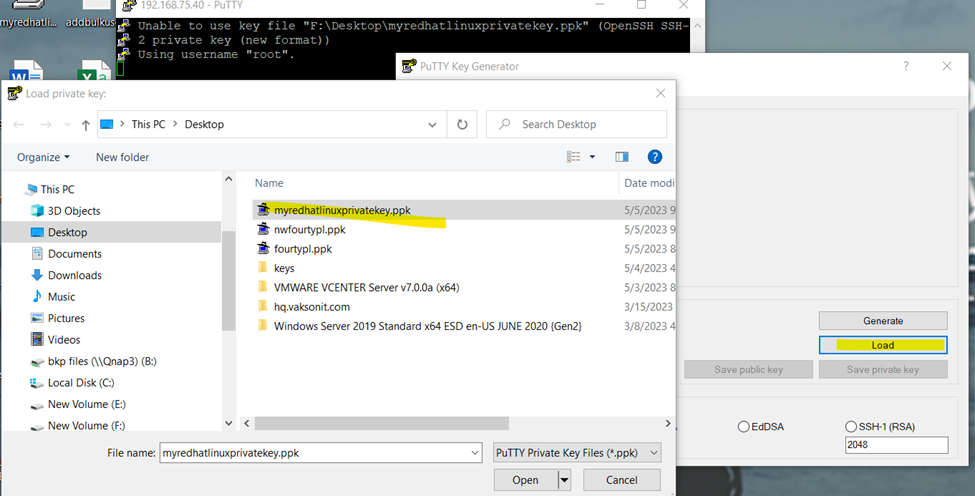
Once file .ppk is loaded save it to same format with new or existing name
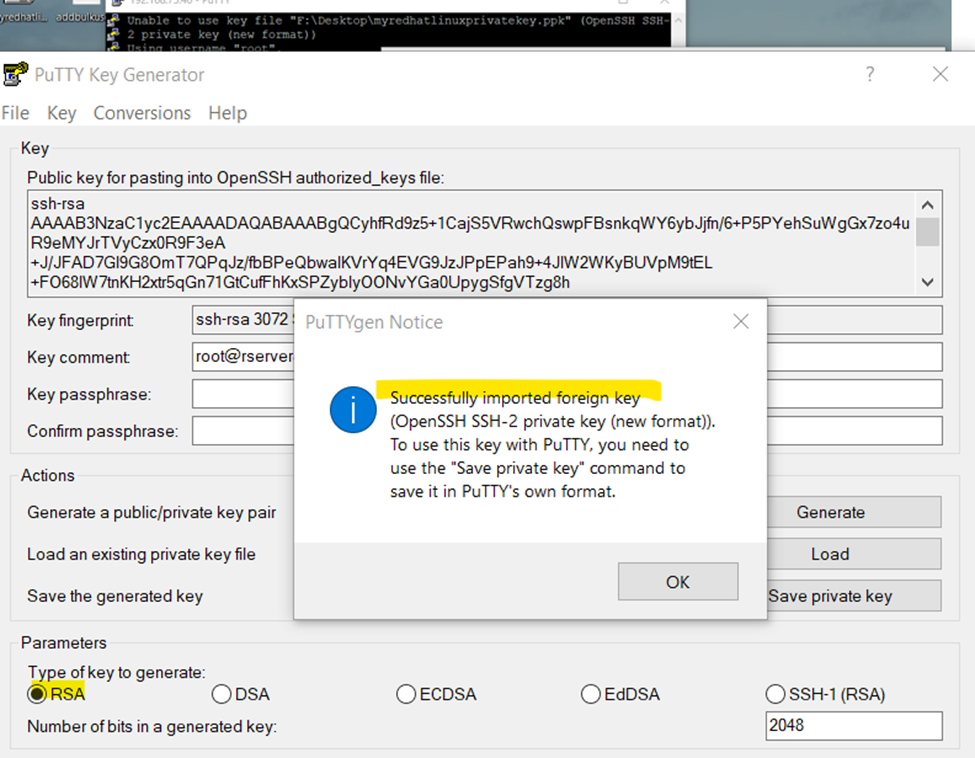
Click to save private key
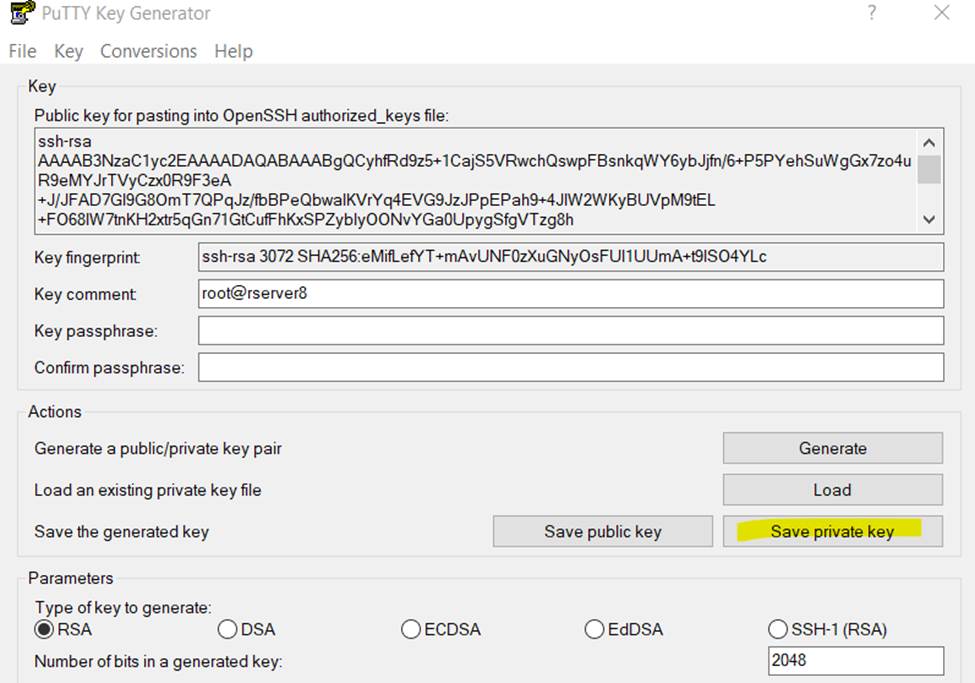
And click yes
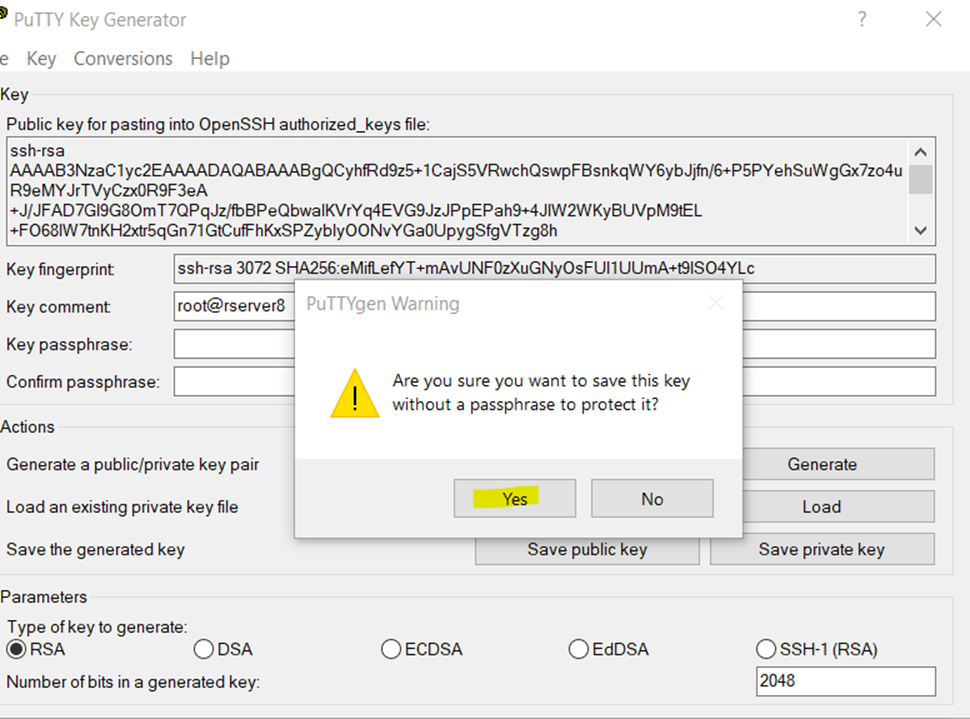
And save it
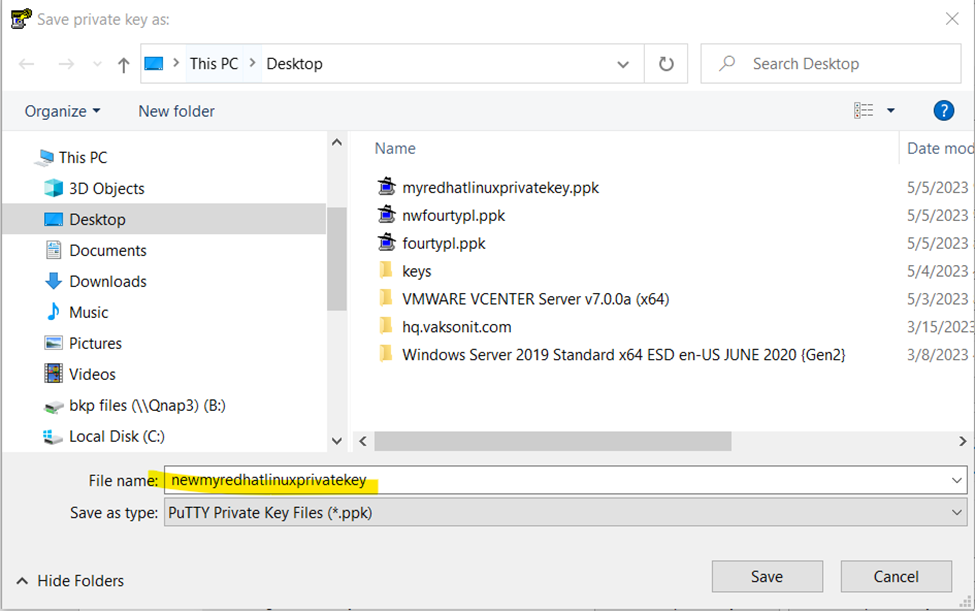
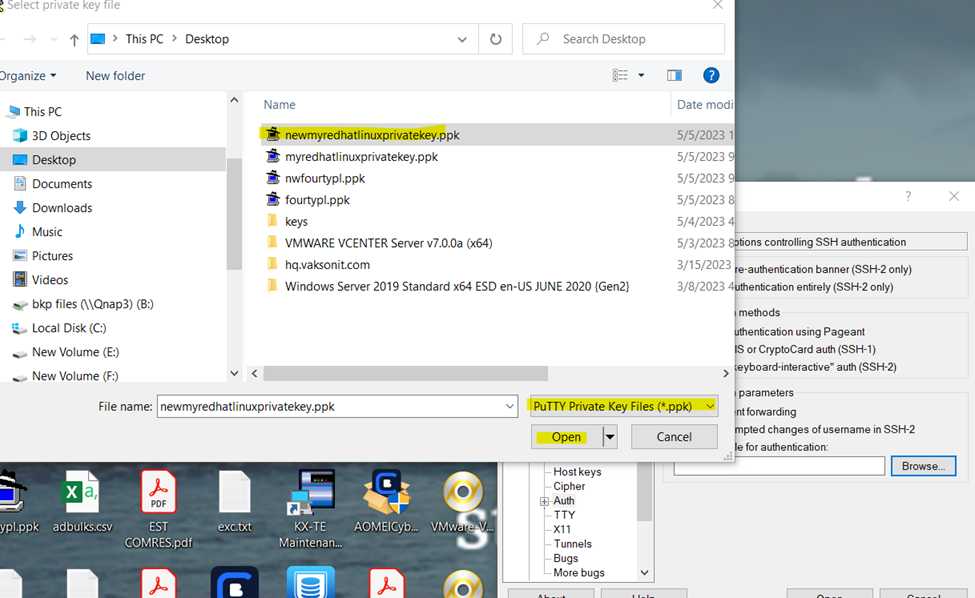
Now open the putty type username like sharique@192.168.60.10
Browse the authenticate key
Open the putty for remember login
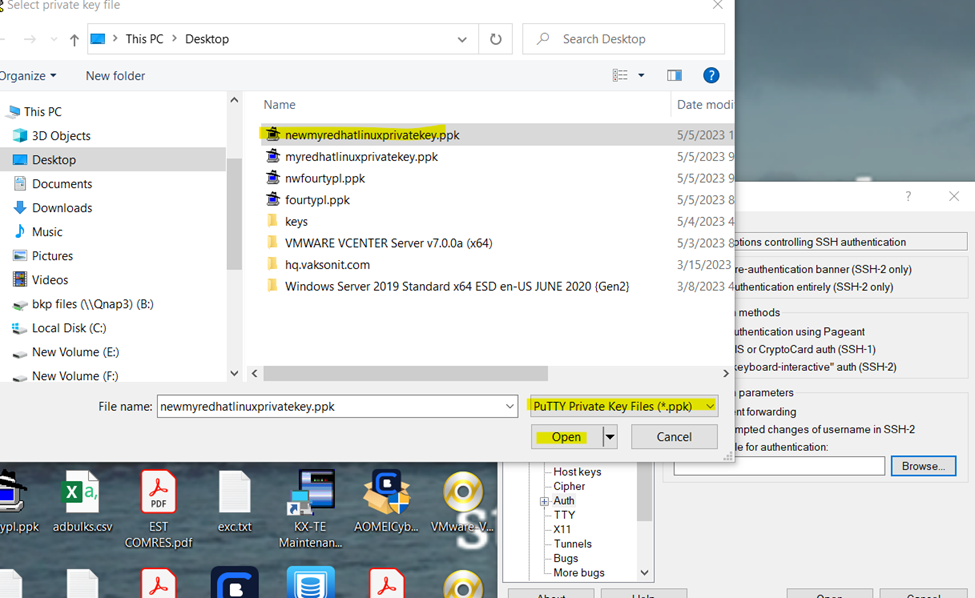
So. successfully configured password less authentication Linux server.
- chmod 777 foldername will give read, write, and execute permissions for everyone.
- chmod 700 foldername will give read, write, and execute permissions for the user only.
- chmod 327 foldername will give write and execute (3) permission for the user, w (2) for the group, and read, write, and execute for the users.
| 777 | anyone can do anything (read, write, or execute) |
| 755 | you can do anything; others can only read and execute |
| 711 | you can do anything; others can only execute |
| 644 | you can read and write; others can only read |
| Chmod 600 sets permissions so that, user / owner can read, can write and can’t execute. Group can’t read, can’t write and can’t execute. others can’t read, can’t write and can’t |