
Here I will share the steps
How to troubleshoot.
How to Troubleshoot Internet if you are not connected to internet
Once you will face any kinds of network connection issues
Open command promote
Win+r
Type cmd

So, type ipconfig or ipconfig /all

I am not getting any IP Address but adaptor displaying undefined network
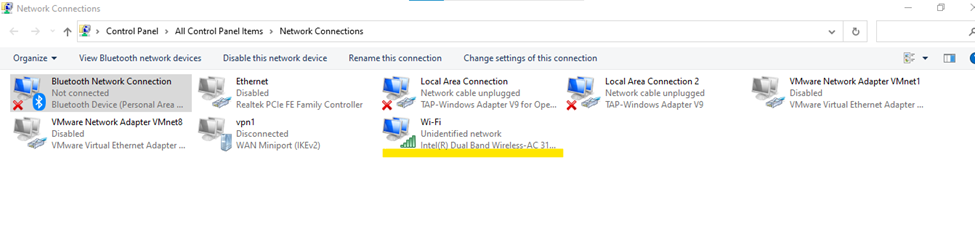
So, there is multiple options to troubleshoot Network connection
First Method:
Right click to active adaptor and disable adaptor

Now enable it

Still internet is not working

Still internet is not connected showing undefined network
Now,
Checking step 2:
Sometimes same ip address assigned to multiple devices this can be a loop hole
ipconfig /release

C:\Users\shari>ipconfig /renew

domain name system (DNS)
If still not working flushdns

If still not working insert DNS like Google or Oracle dns
216.146.35.35 dns
216.146.36.36 dns
After updating static dns internet is working

Or we can also try google.com dns
IP addresses 8.8.8.8 and 8.8.4.4 as your DNS
So main cause is our DNS
So this is the process to rectify network issues

Internet pinging status
